
Vivaldi browser's Downloads Panel. An arrow is pointing at the "Show in File Manager" button.

Tip #628

January 13, 2025

Open the downloaded file’s location with one click in the Downloads Panel.

PWA of a website open on an Android phone. Link's context menu is open in the foreground and an arrow is pointing at the option "Open in Vivaldi Browser".

Tip #627

January 10, 2025

Long press on links in Progressive Web Apps to open them in Vivaldi.

Home feed open in Vivaldi Social. Little preview window of a profile is open on top of the author's post.

Tip #626

January 9, 2025

Quickly find out more about people on Vivaldi Social from profile previews.

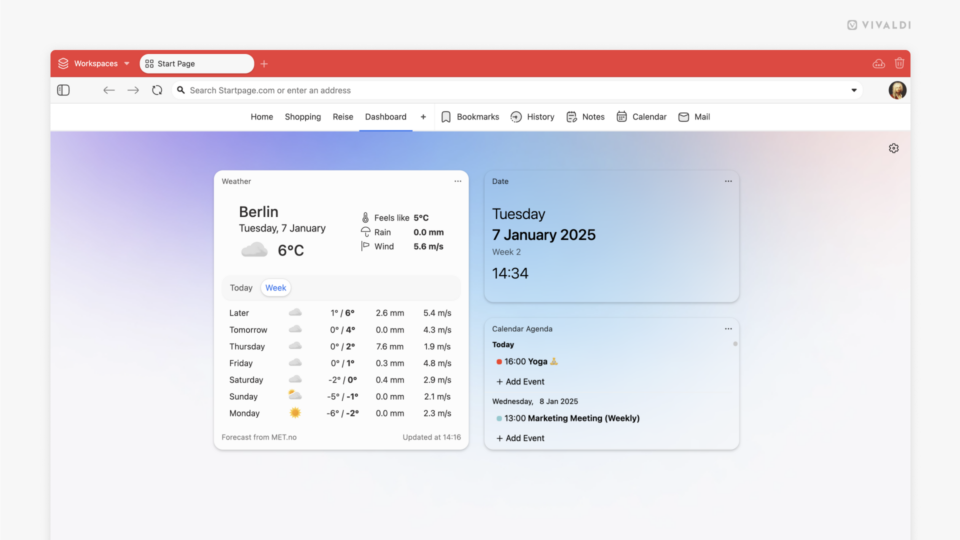
Vivaldi browser's Dashboard. A widget's menu is open on the widget's size sub section.

Tip #625

January 8, 2025

Pick a different size for the Widgets on your Dashboard.

Vivaldi browser window with Bitwarden extension's pop out menu turned into a Web Panel.

Tip #624

January 7, 2025

Turn Extension pop-out dialogs into Web Panels.

Tip #623

January 6, 2025

Follow Tips on vivaldi.com from now on.

Tip #622

December 20, 2024

Match Vivaldi browser’s theme with your iPhone’s theme.

Tip #621

December 19, 2024

Find out when you last visited a website in Vivaldi on Android from Site Info.

Tip #620

December 18, 2024

Be in control of who gets to follow your account on Vivaldi Social.

Tip #619

December 17, 2024

Try out every way you can close a tab in Vivaldi and find your favorite.

Tip #618

December 16, 2024

Change Themes automatically to match your operating system’s light/dark mode setting.

Tip #617

December 13, 2024

Take screenshots of full web pages with the Capture Page tool.