👋Say hello to the new welcome flow
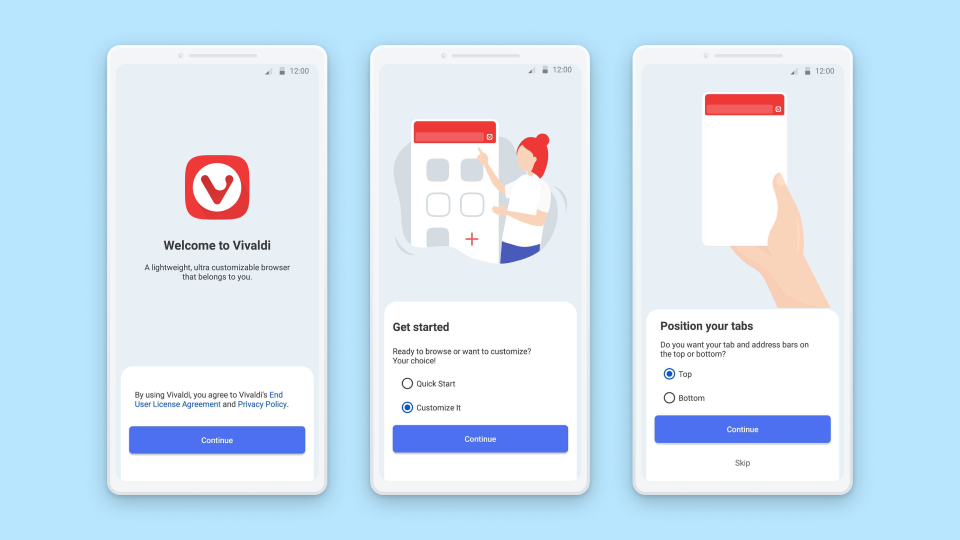
First-time user? Meet these quick steps for setting up your browser.
Get kickstarted straight into browsing or customize the browser to make it yours!
Our goal is to provide flexibility in the way you browse. Position your tab and address bars at the top or bottom, quickly and easily.
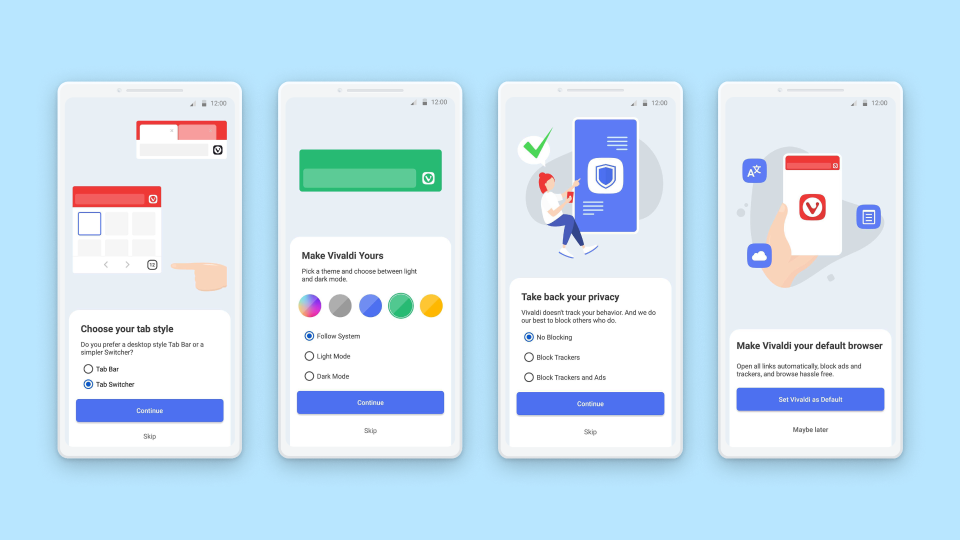
View your tabs, your way. Either through Vivaldi’s Tab Switcher or the real, desktop-style tabs. 🎉
But wait, there’s more!
Add some personality to your browsing by choosing between dark or light modes or system default Themes.
Meet Vivaldi’s Tracker and Ad Blocker and shun annoying ads and unnecessary tracking.
Because your privacy is top priority, we do not track you or profile your behavior while you browse with Vivaldi on Android or desktop.
So ready to make Vivaldi your default? You have that option too. 🤩
Up your performance with auto-closing inactive tabs 😎
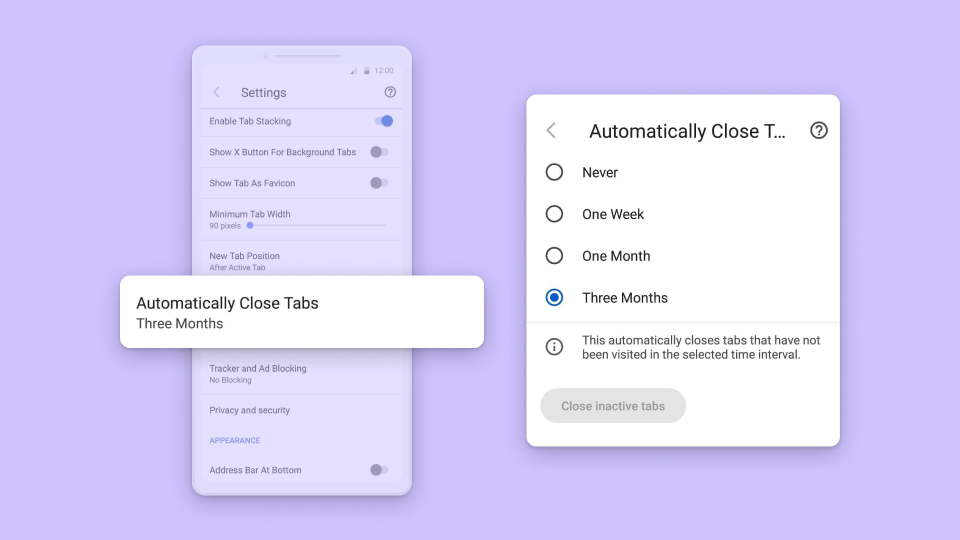
Tend to open a lot of tabs and forget to close them? Go to Settings – Tabs and find “Automatically Close Tabs” to choose when Vivaldi should prompt you to close inactive tabs.
Another way to close inactive tabs is to tap on the “Close inactive tabs” button in Settings, without waiting to be notified.
How you handle your tabs is up to you — close them or simply keep them the way they are. That said, closing all inactive tabs improves performance and extends battery life. 🙌
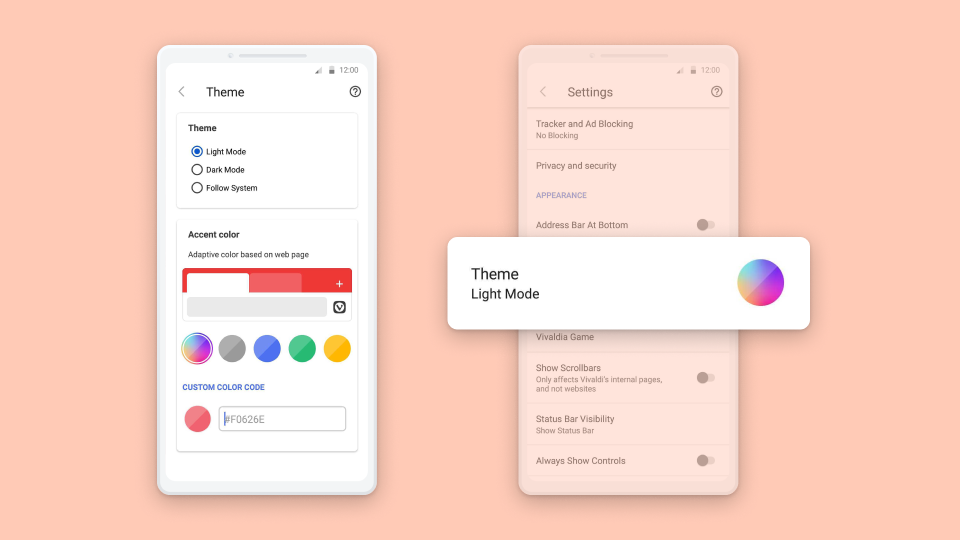
An even-better user interface 😍
At every step, we are improving Vivaldi by polishing existing features.
In this update, you will find the user interface of Themes much improved.
Also, the floating buttons in the Panel have been worked upon.
Just a bit about Panels: tap on the Panels button on the left side of the Toolbar at the bottom of the screen to discover 5 Panels – Bookmarks, History, Notes, Downloads, and Translate.