OSLO, Norway – February 5th 2026
Android: your tabs, your way, your data
Pin the tabs that matter
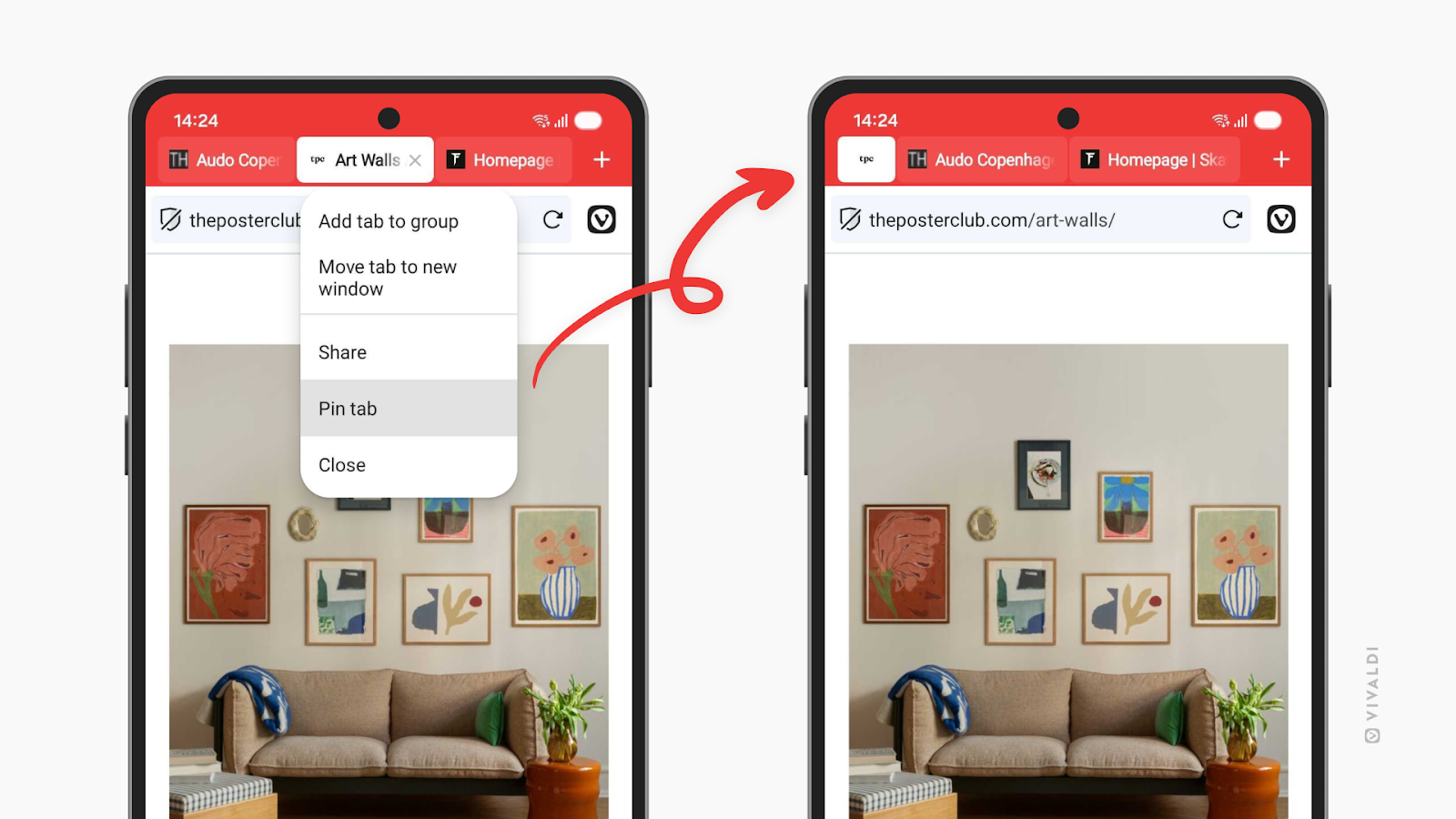
Pinned tabs have arrived on Vivaldi for Android. If you’ve been pinning tabs on Desktop you know why this matters. Some tabs deserve a special place in your Tab Bar. Your work dashboard. Your favorite news site. That recipe you’re perfecting. The tabs you return to throughout the day, every day.
Now you can pin them in place on your phone, keeping them within a finger’s reach. Long-press any tab and select “Pin Tab” to lock it at the start of your Tab Bar.
This is especially useful if you’re the kind of person who opens dozens of tabs throughout the day (no judgment). Pinned tabs give structure to your browsing chaos, keeping your essential tabs separate from the temporary ones.
See who’s watching (and stop them)
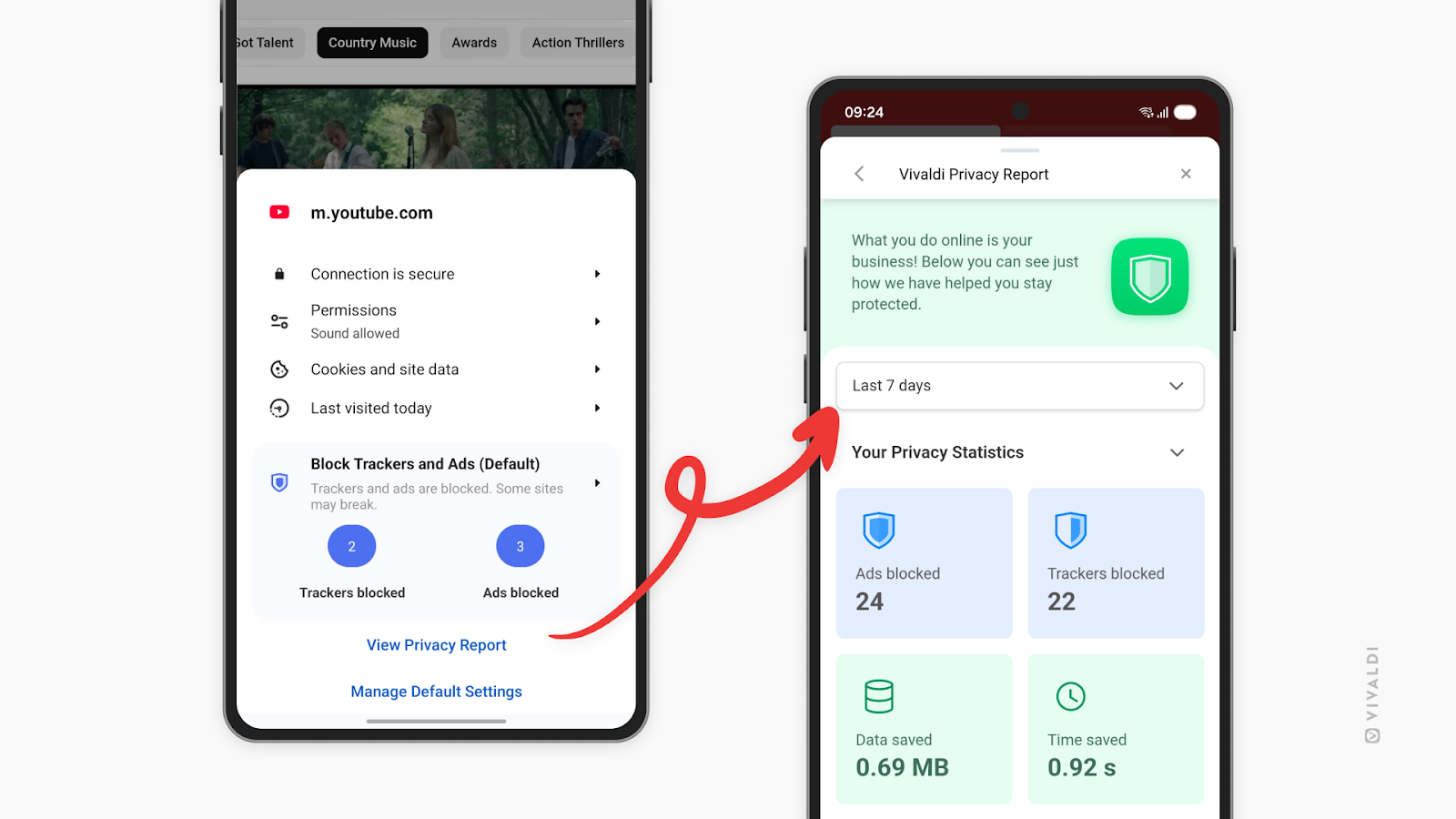
Your phone follows you everywhere. Your browser shouldn’t help companies do the same. That’s why we’ve added the Privacy Dashboard to Vivaldi for Android.
The Privacy Dashboard shows you exactly which trackers and ads Vivaldi has blocked while you browse. It’s not just a number, it’s a window into how much of the web is designed to follow you around. Every blocked tracker is one less company building a profile on your habits, your interests, your life.
Think of it as a reality check on the modern web. The numbers might surprise you. Some websites try to load dozens of trackers before you even finish reading the headline. With the Privacy Dashboard, you’ll see it all and understand exactly what Vivaldi is protecting you from. You can access the Privacy dashboard form the shield icon in the Address Bar.
Transparency matters. You deserve to know what’s happening behind the scenes while you browse. The Privacy Dashboard puts that information right at your fingertips.
Choose your password manager
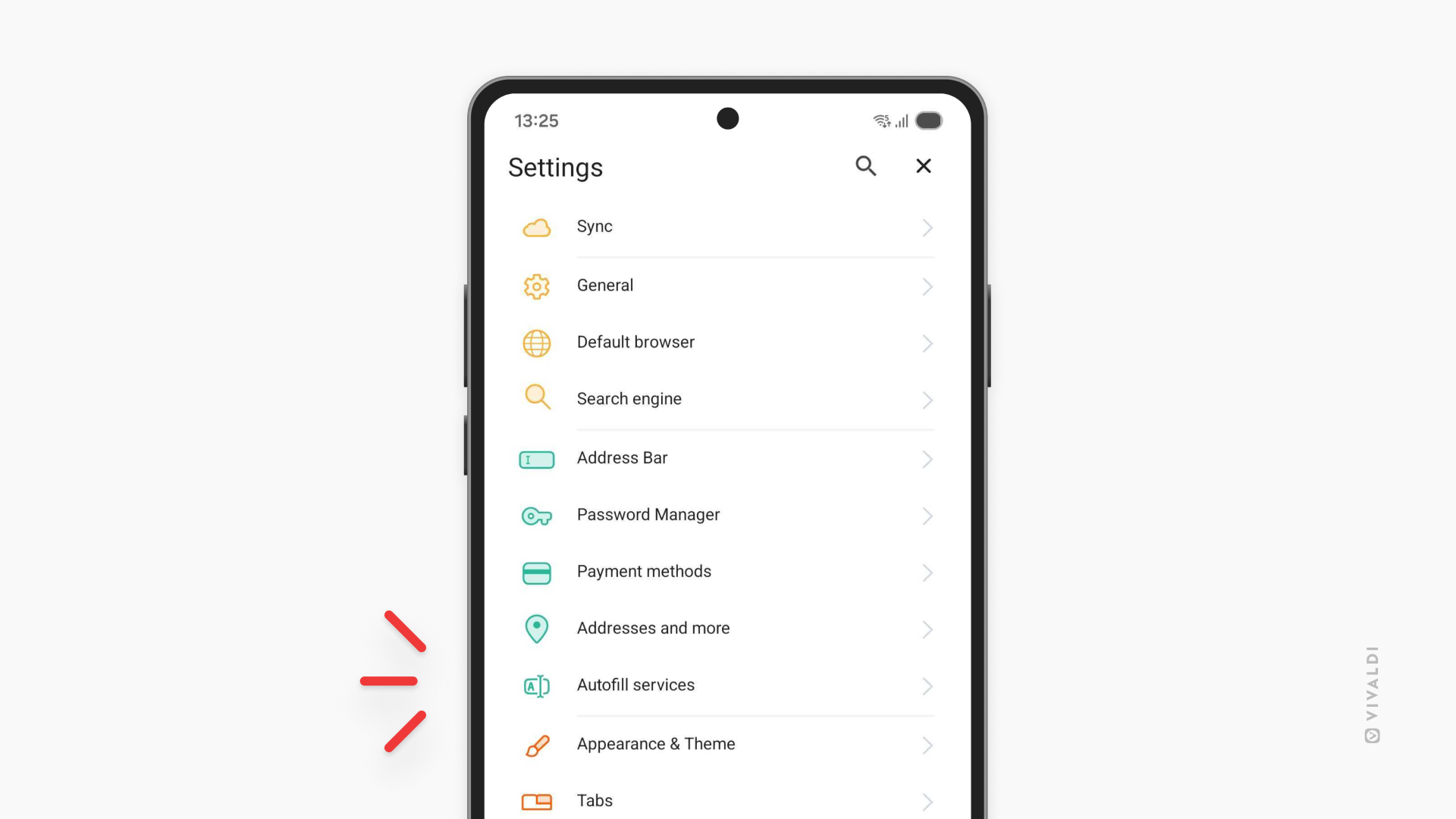
Vivaldi has a solid password manager built right in. But maybe you’ve been using Bitwarden, 1Password, or another password manager for years and you trust it with your life. Why should you have to change?
Now there’s a setting in Vivaldi for Android where you can decide: use Vivaldi’s internal password manager, or hand off login assistance to a third-party password manager you already trust. It’s your choice to make. The setting is named “Autofill services”.
This is part of Vivaldi’s philosophy: give you the tools, then let you decide how to use them. Your passwords are some of your most sensitive data. You should be in control of where they’re stored and how they’re managed.
The little things that add up
Sometimes the best features are the ones that get out of your way. This release includes two settings that do exactly that:
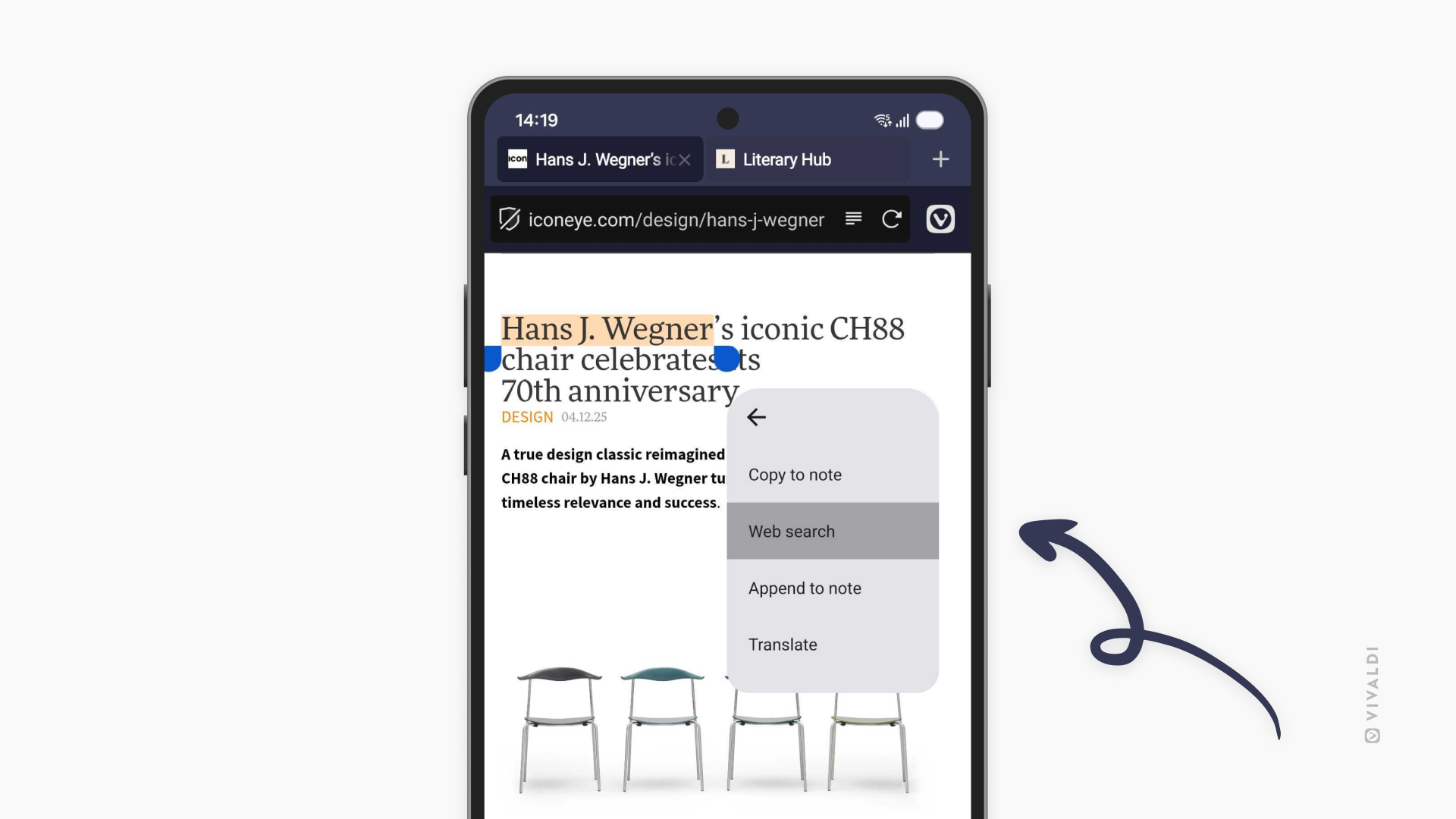
Search privately, faster. You can now search with selected text directly in private tabs. Highlight any text on a page, and you’ll see the option to search for it in a new private tab. Quick, convenient, and your search history stays private.
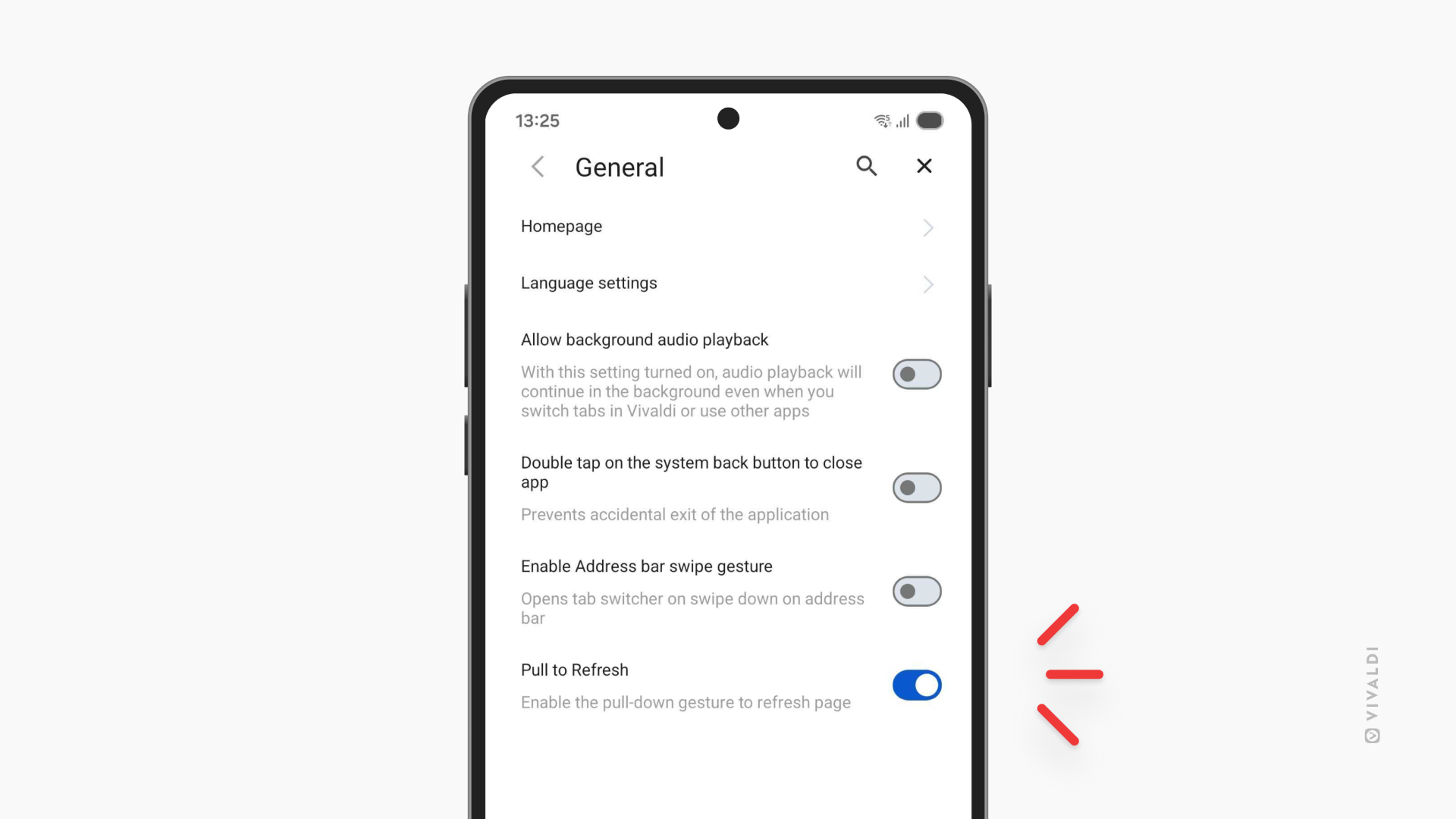
Disable pull-to-refresh. If you’ve ever accidentally triggered a page reload mid-scroll (and who hasn’t?), this one’s for you. Head to Settings and turn off pull-to-refresh. No more losing your place because you swiped a little too enthusiastically.
iOS: Faster, smoother, more personal
The iOS update is all about streamlining your workflow. Three features that remove friction and keep you moving.
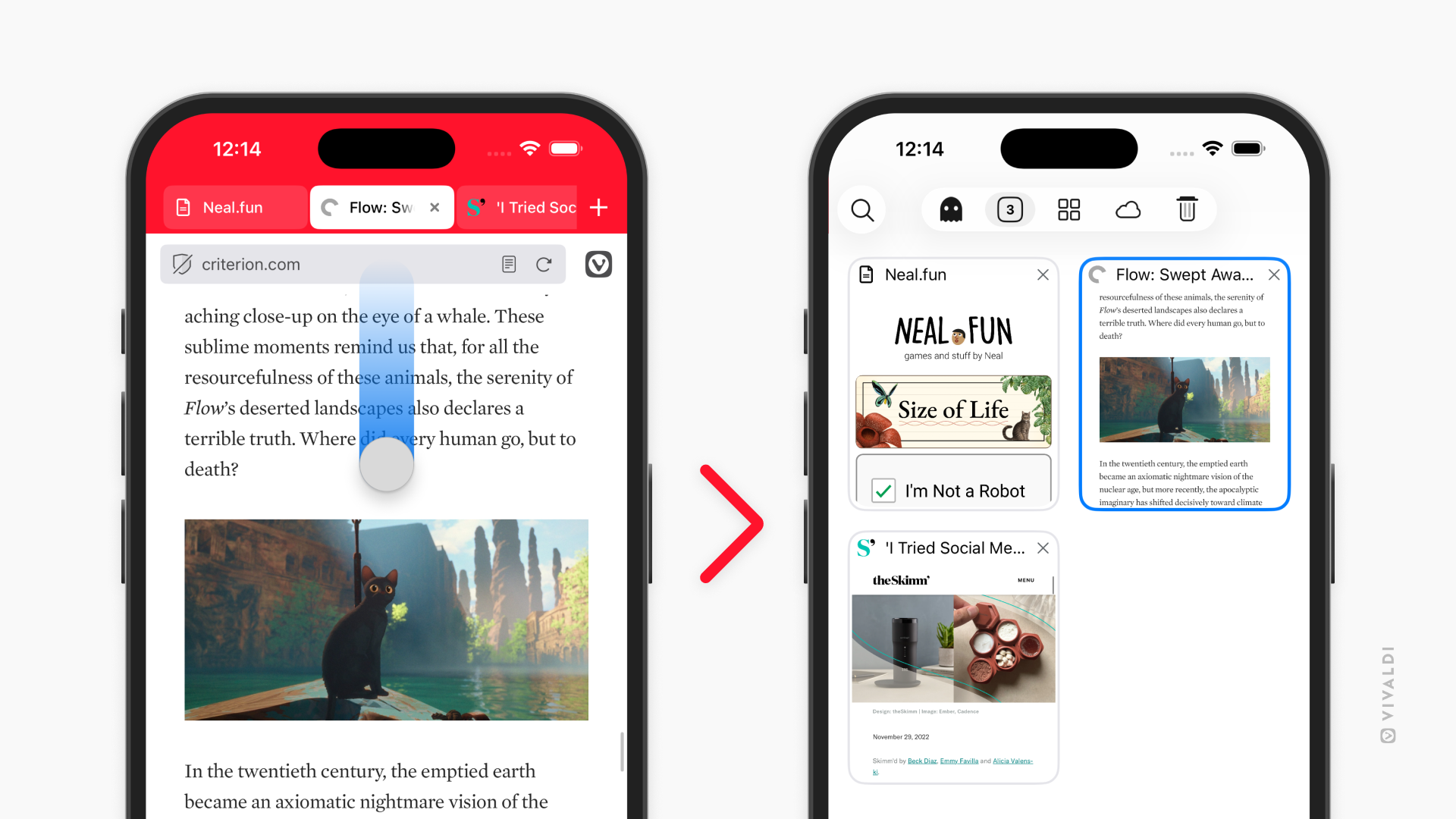
Swipe to switch tabs. Your Address Bar just became a shortcut. Swipe up or down on it to jump straight into the tab switcher. It’s one of those gestures that feels natural the moment you try it, faster than tapping, more fluid, exactly where your thumb already is.
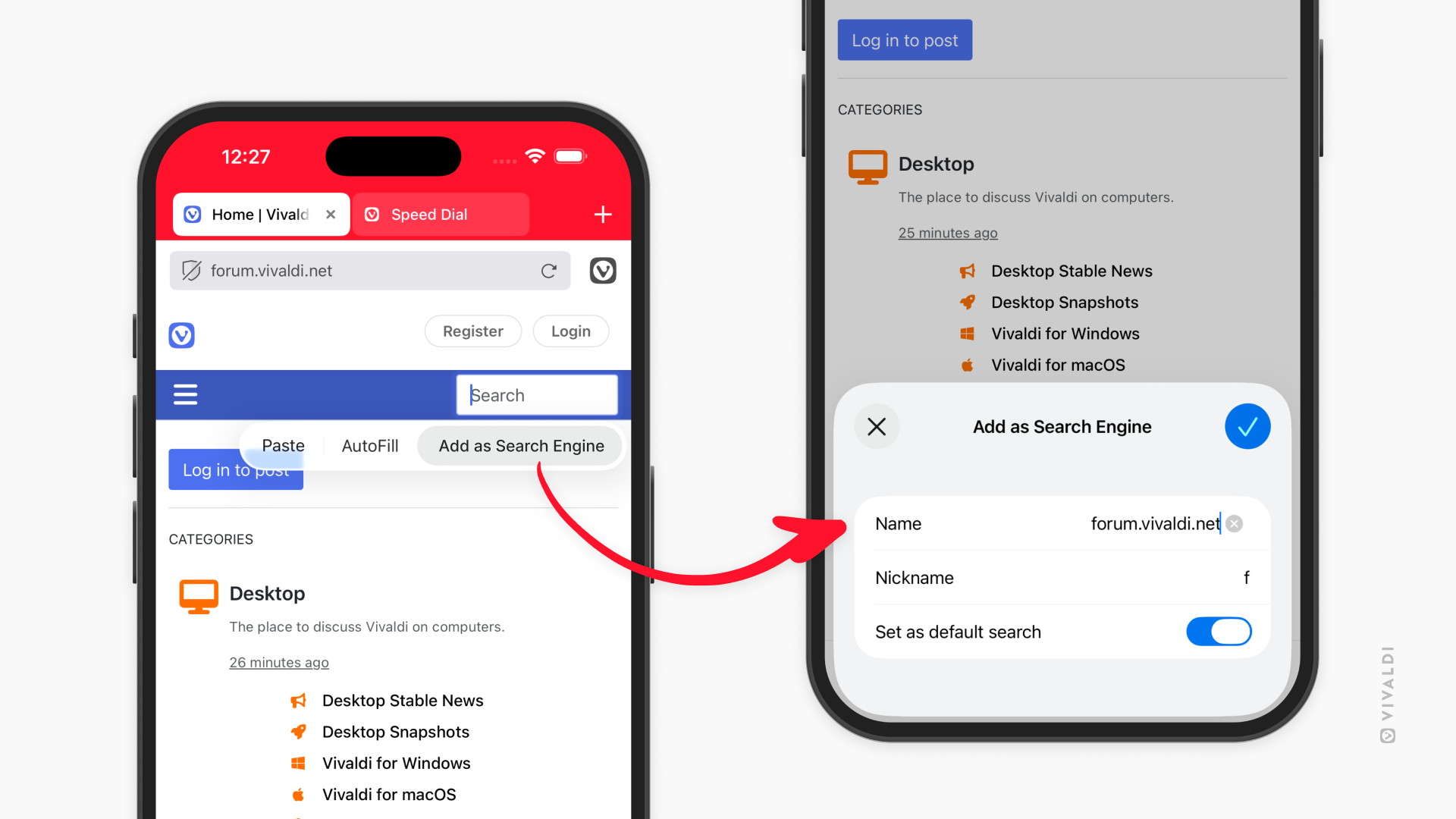
Add search engines from any website. This feature launched on Android in version 7.7, and now it’s on iOS too. Found a specialized search you want to use regularly? Long-press the search field, select “Add as Search Engine,” and it’s yours. Your university library, your company’s documentation, niche databases, now they’re all just a tap away in your search options.
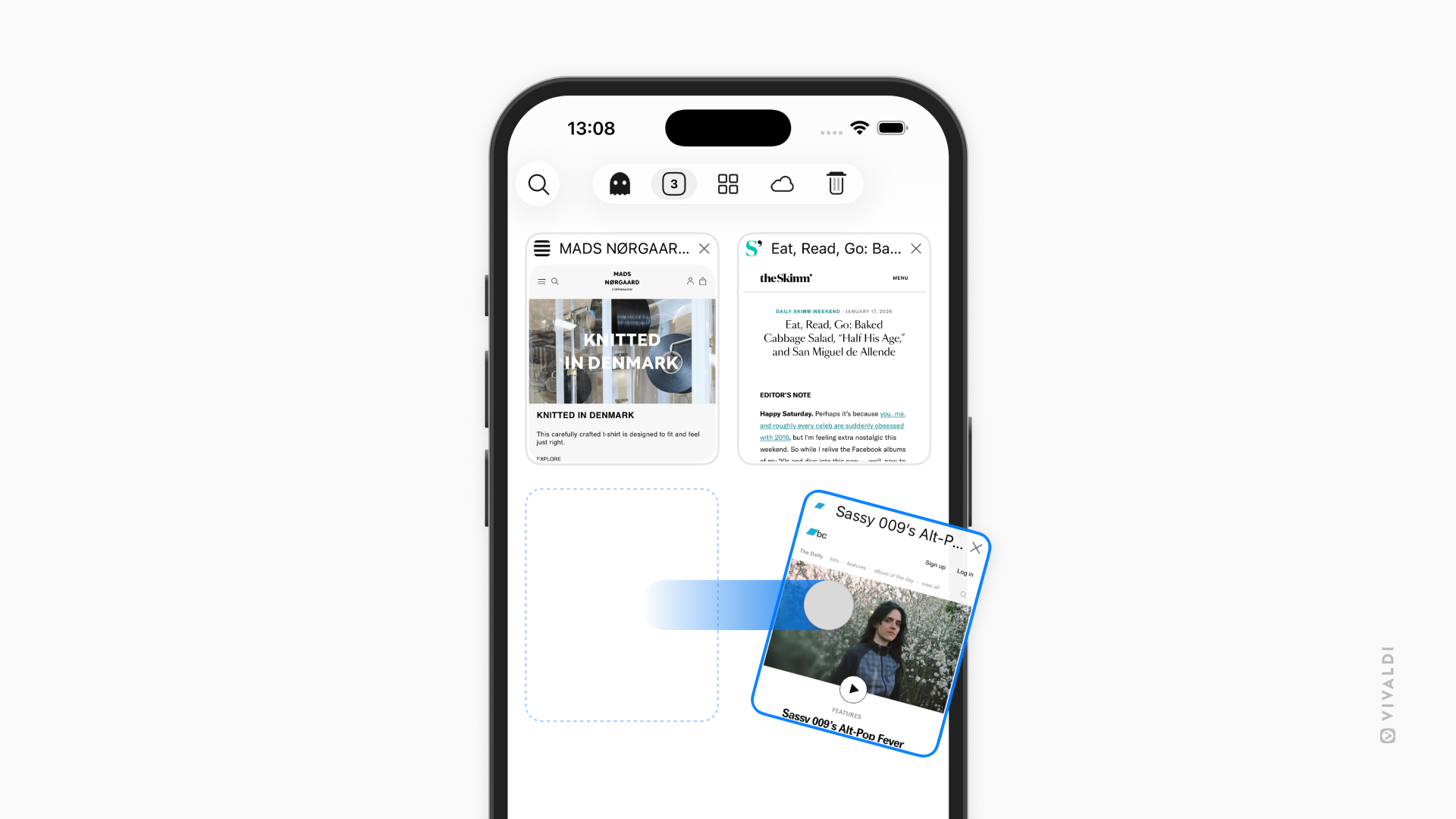
Swipe away tabs. In the tab switcher, you can now close tabs with a quick swipe. No more hunting for tiny X buttons. Just swipe and it’s gone. When you’re managing dozens of tabs, these small gestures add up to a much smoother experience.
Vivaldi 7.8 for mobile is available now.