Oslo, Norway – Under embargo until November 5th 2026 09:00 CET
Vivaldi Technologies releases Vivaldi 8.3 for Android and iOS this upcoming Thursday, launching on the same day as Vivaldi 8.3 for Desktop. The release brings the redesigned Ad and Tracker Blocker to both mobile platforms. On iOS, pages now load up to 12 times faster with the blocker enabled, while using significantly less battery. Android users get smarter Tab Stacks, improved media controls and a quick way to open a page in its own app.
A browser that doesn’t profile its users
While much of the browser market turns browsing into data to be harvested and profiles to be sold, Vivaldi is the independent European alternative. Vivaldi doesn’t track its users, doesn’t build profiles of them and doesn’t sell their data.
Vivaldi 8.3 extends that protection to the rest of the web, wherever people take their phones. The Ad and Tracker Blocker has been extensively rebuilt to handle large filter lists more efficiently, and gets a new design with four levels of protection:
· Off: turns the built-in blocker off completely
· Light: blocks most known trackers and some ads
· Strong: blocks more trackers and ads, sites may break
· Aggressive: blocks almost all trackers and ads, sites may break
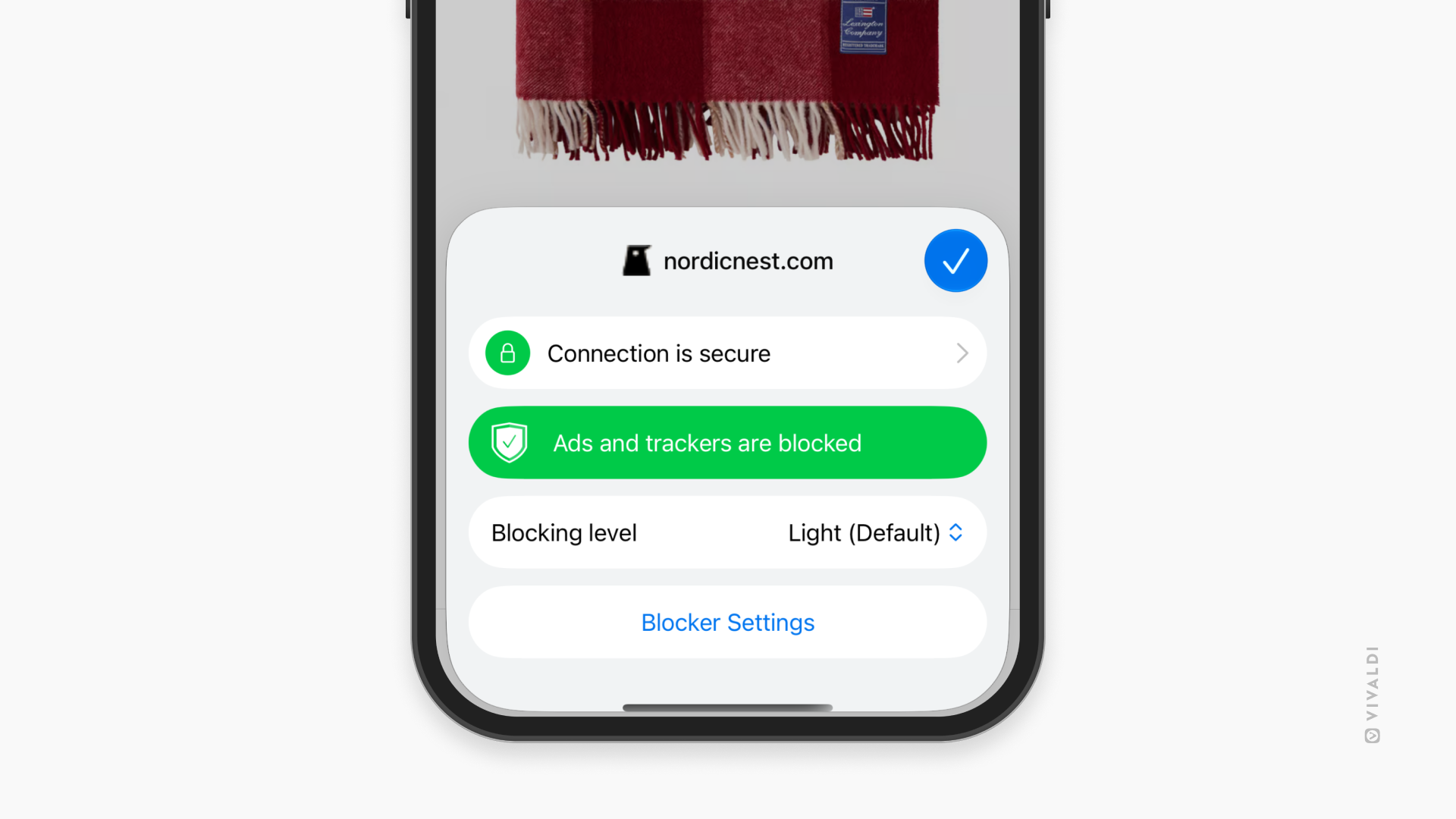
Users choose a default level during onboarding or in Settings, and can then set a different level for any site by tapping the Shield icon in the Address Bar. Vivaldi remembers each choice. That means a user can run Aggressive on a video site, keep online banking on Light so every form works, and turn protection down on a small independent site they trust and want to support.
Advanced users can also create custom levels, with full control over which blocklists are used. On iOS, custom lists can be added from a remote URL or a local file. On Android, they can be added from a remote URL.
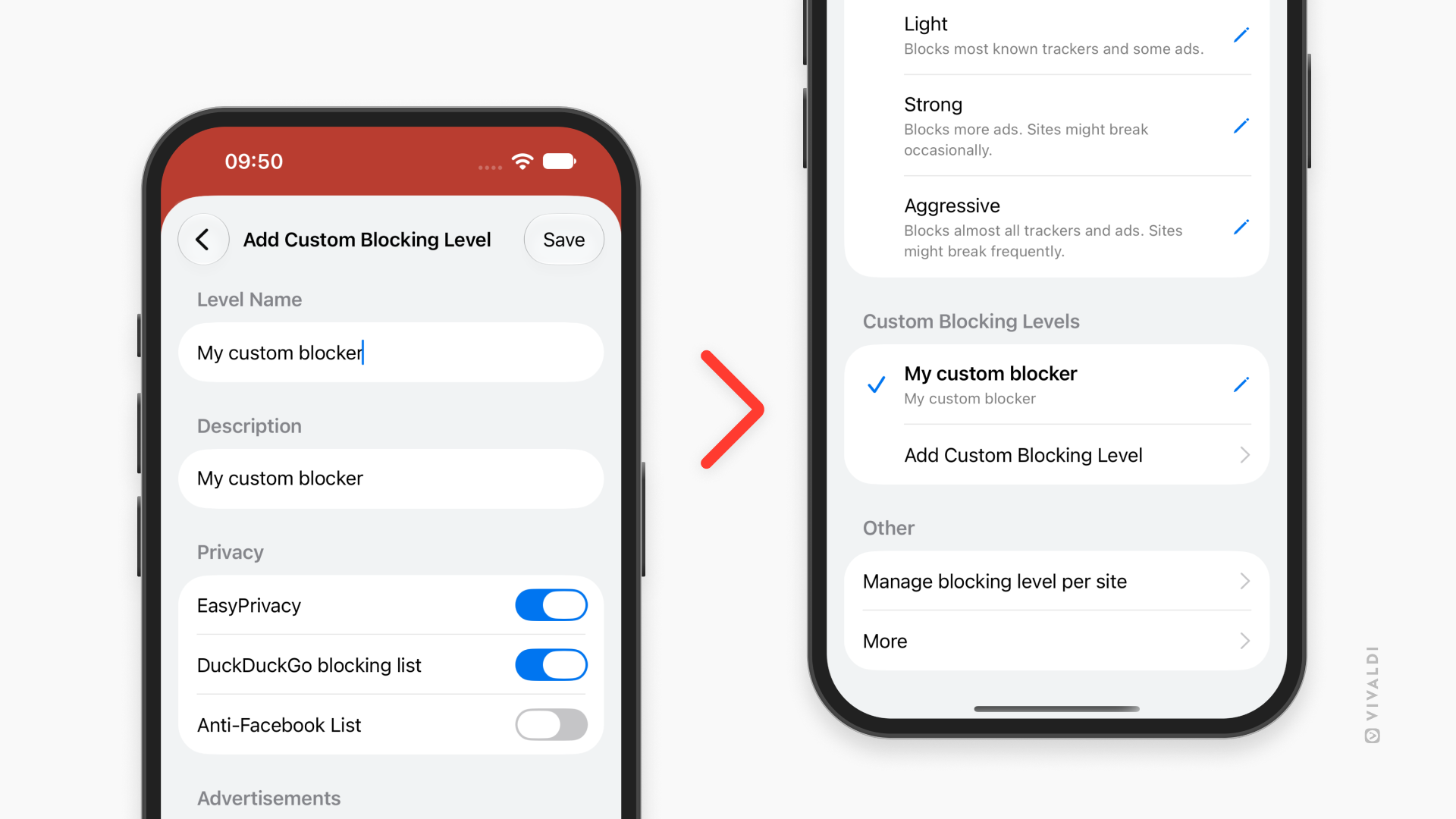
The same redesign will be available in Vivaldi on Desktop too, so the protection looks and works the same way on phones, tablets and computers.
Share sanitized links
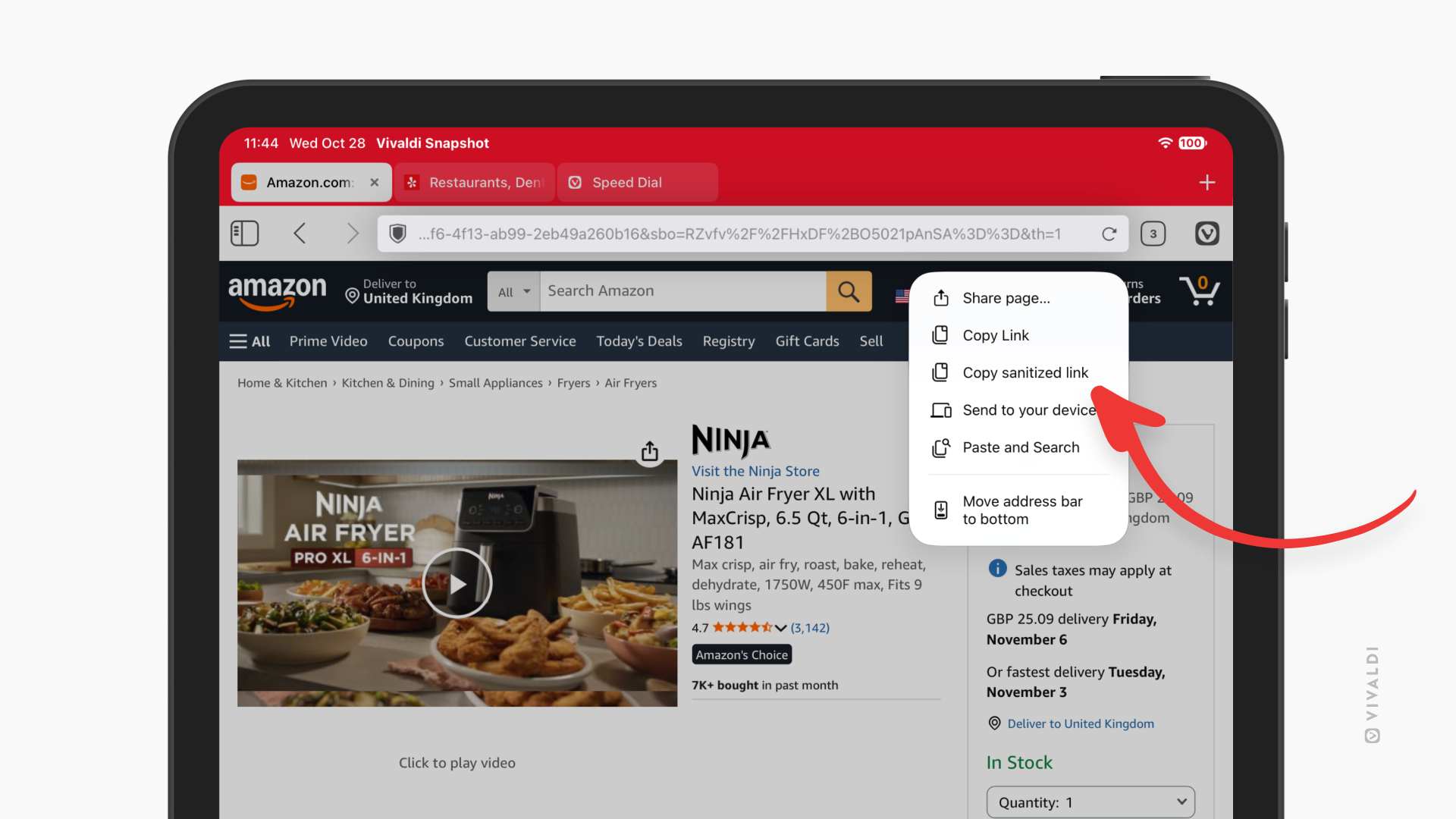
With 8.3 we’ve also added the option to Copy Sanitized Link for Android and iOS. This removes known tracking parameters from a link before it is copied, so shared links carry only the page itself. Available by long-pressing the Address Bar or from the Share menu.
Up to 12 times faster page loading on iOS
Vivaldi on iOS now loads pages up to 12 times faster with the Ad and Tracker Blocker enabled. Articles appear sooner and scrolling through feeds feels snappier. The same work also means Vivaldi uses significantly less battery during browsing, leaving more charge at the end of the day.
iOS users can also now choose where new tabs open, as on Desktop and Android. Under Settings > Tabs > New Tab Position, they can pick After Related Tab, After Active Tab, As Last Tab, or As Tab Stack with Related Tab.
What else is new on Android
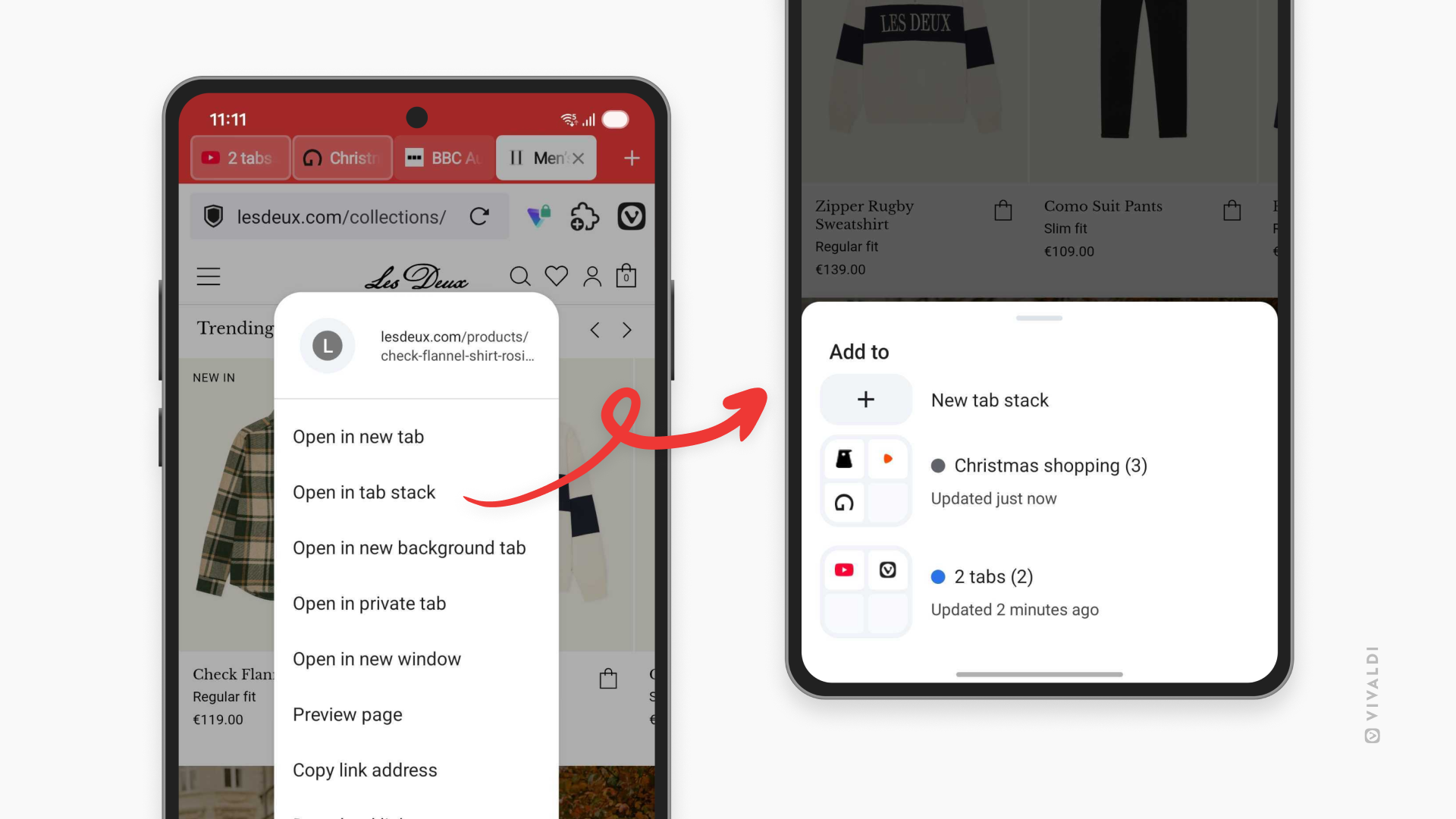
- Open links in a chosen Tab Stack: long-press a link and pick which stack it opens in
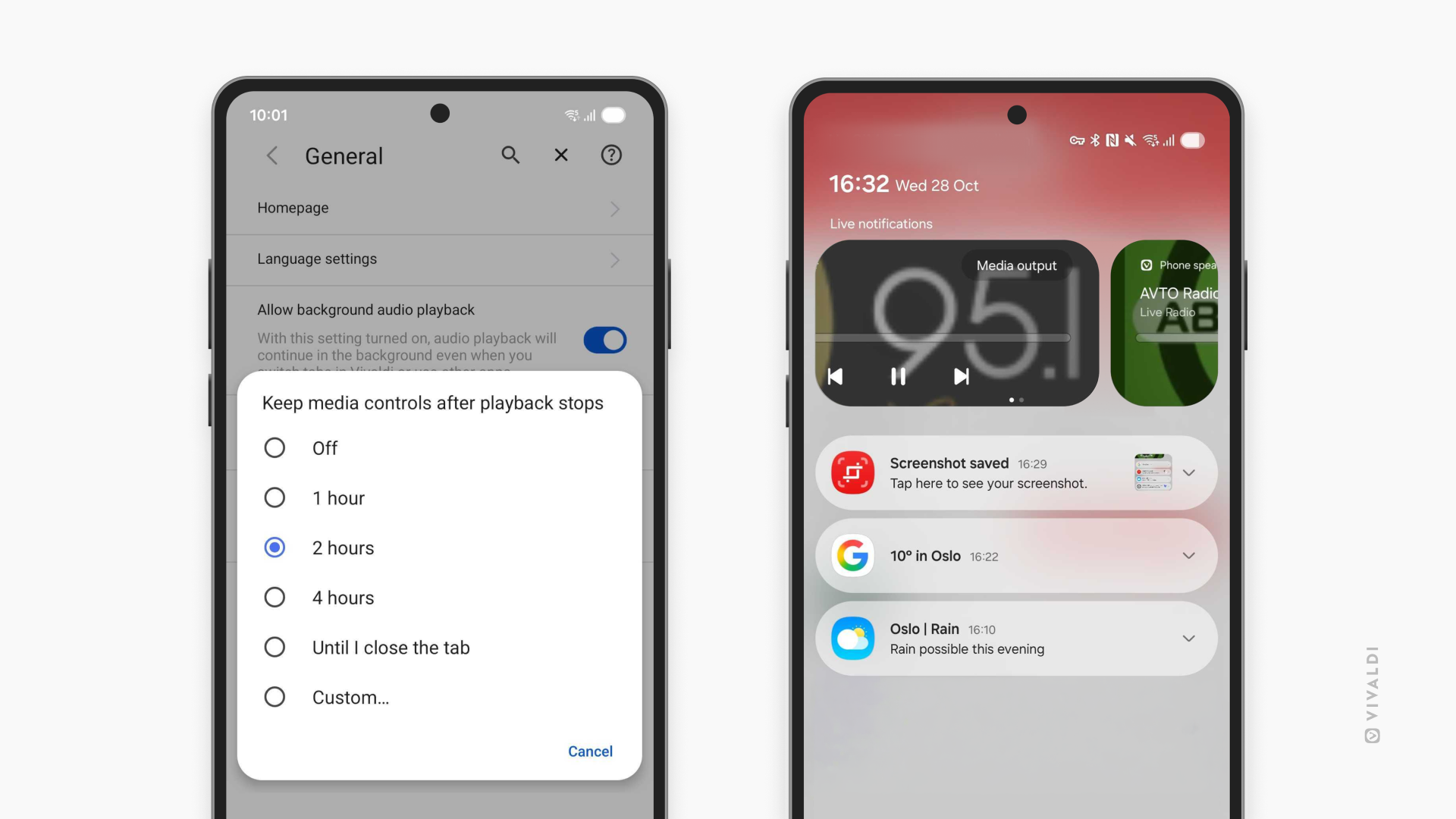
- Improved media controls: every tab playing audio now appears in the phone’s media controls, so users can switch between a radio station, a podcast and a playlist directly from the system music player, without opening the browser
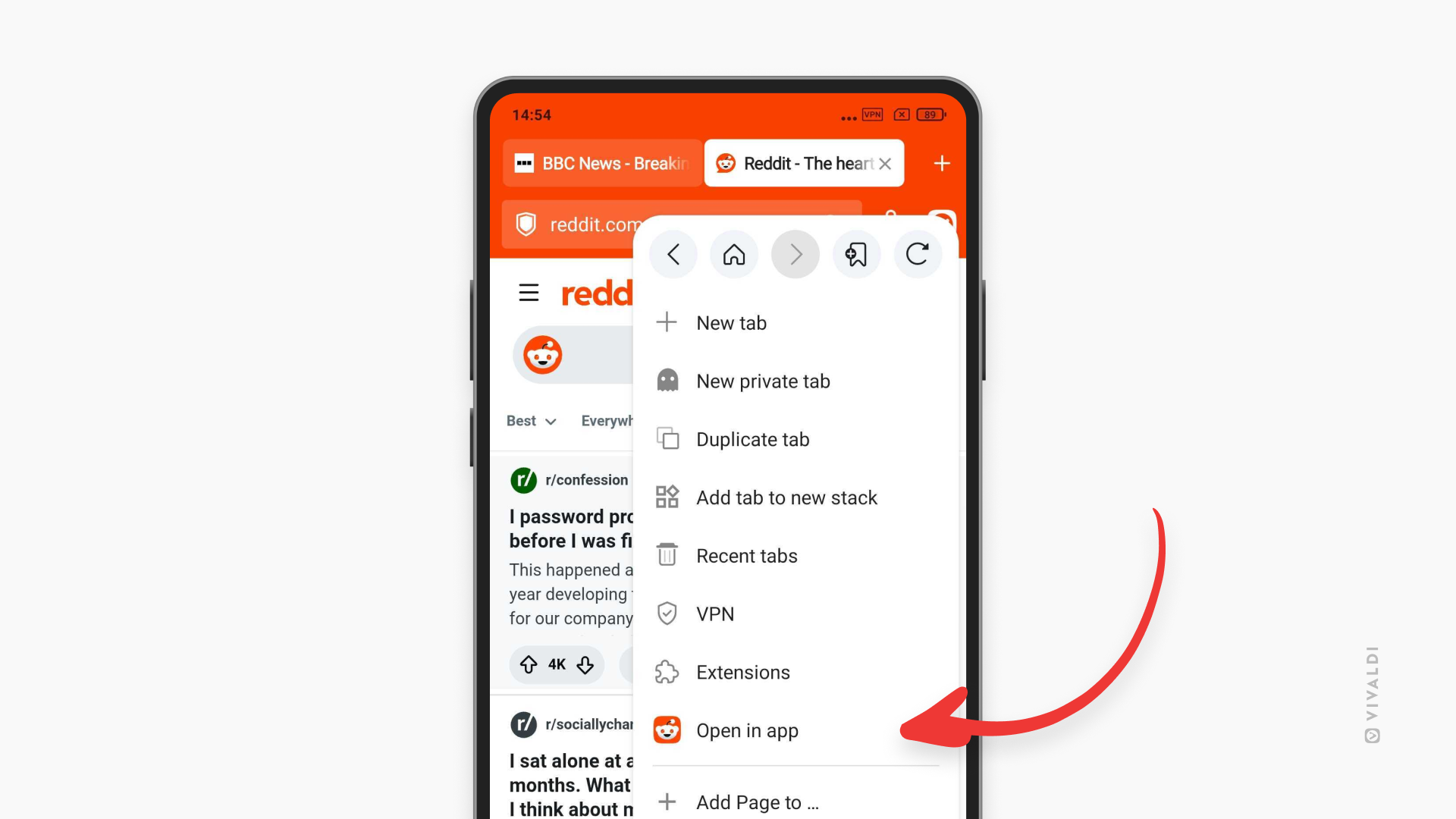
- Open in app: when a site has its own app, users can open the current page there from the main menu, while the tab stays open in Vivaldi. A setting lets users keep all links inside the browser instead, if that’s what they prefer.
Availability
Vivaldi 8.3 will be available this Thursday, 5th of November as a free download from Google Play and the App Store.
Vivaldi 8.3 for Desktop will also be released on the same day.