The World's Easiest New Year's Resolution
You're a click away from ditching Big Tech. Make the move and join the movement.


Europe's answer to online privacy
In an era dominated by Big Tech, Vivaldi represents a European commitment to digital independence, privacy, and transparency. By choosing Vivaldi, you’re joining a growing movement that believes privacy is a fundamental right, not a privilege.
What makes Vivaldi Powerful
Built for you, who demand more, Vivaldi's powerful built-in features let you conquer the web.
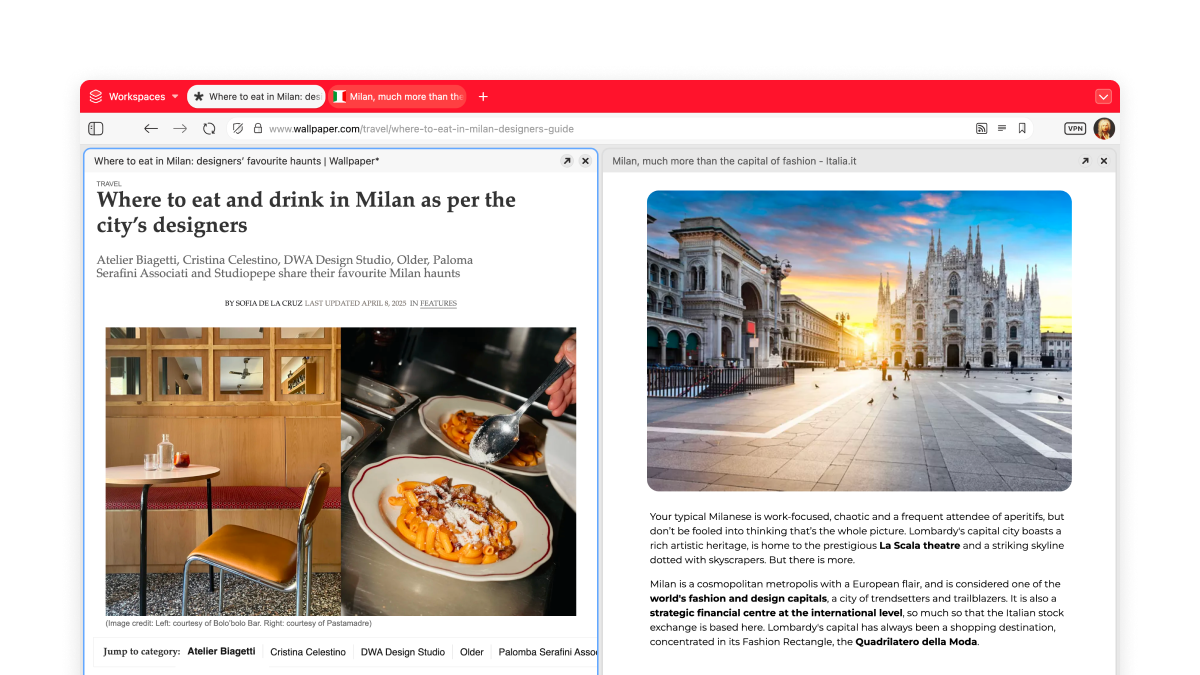
Tab tiling
View multiple web pages side by side, split-screen style, in the same window. There’s no set limit to the number of tabs you can open side by side (though there is a limit to what can be useful to you).
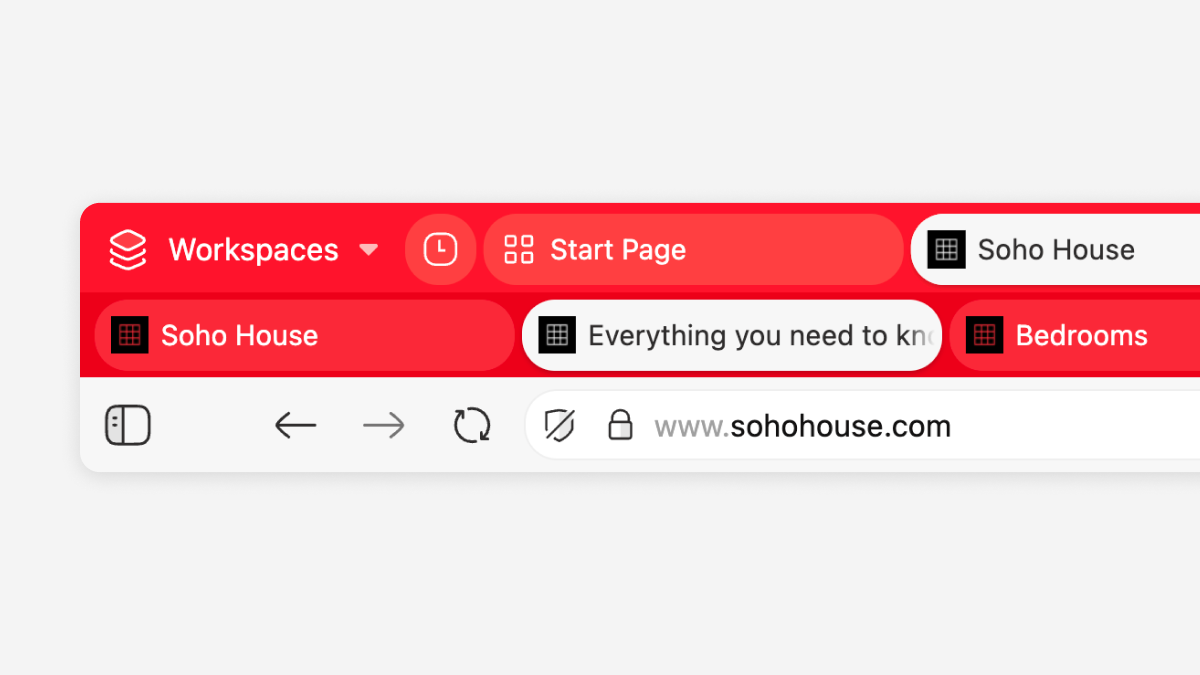
Tab stacking
Two-level Tab Stacks are a great way to keep things tidy when you have a lot of open tabs. Once tabs are stacked you can: give the stack a name, create splitscreens, move them or hibernate them. Go nuts!
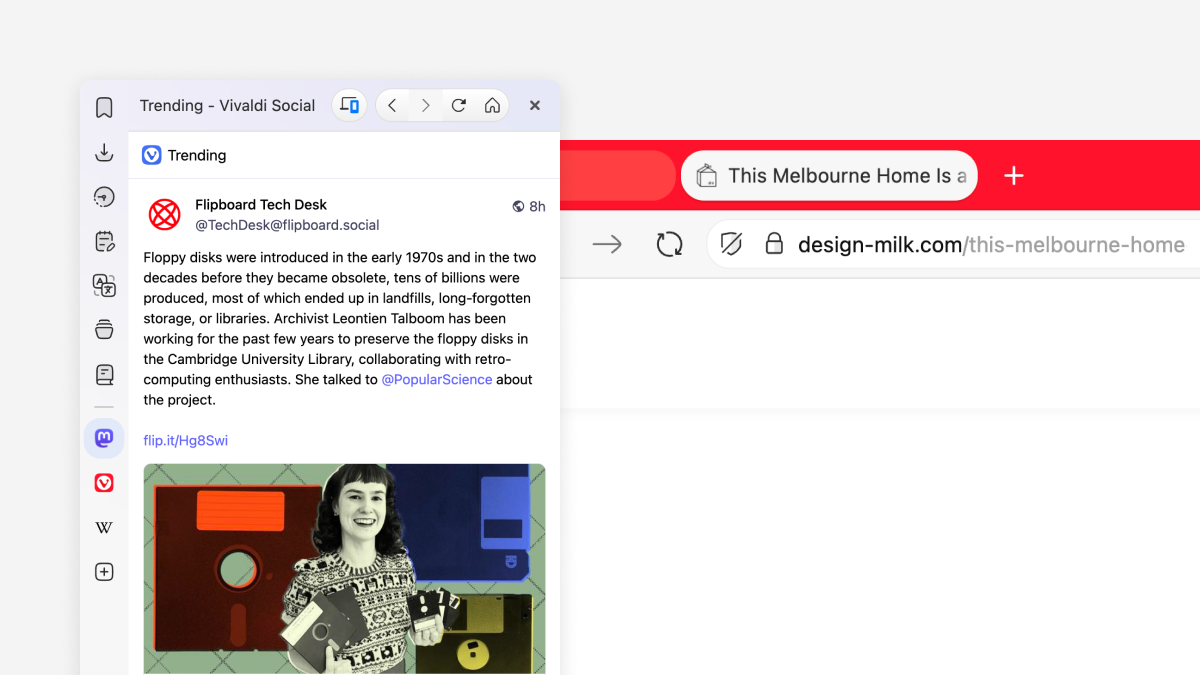
Web Panels
Add any website to keep your favorite sites easily accessible in Vivaldi’s sidebar. You can easily add a page and decide to view it in mobile or desktop mode.
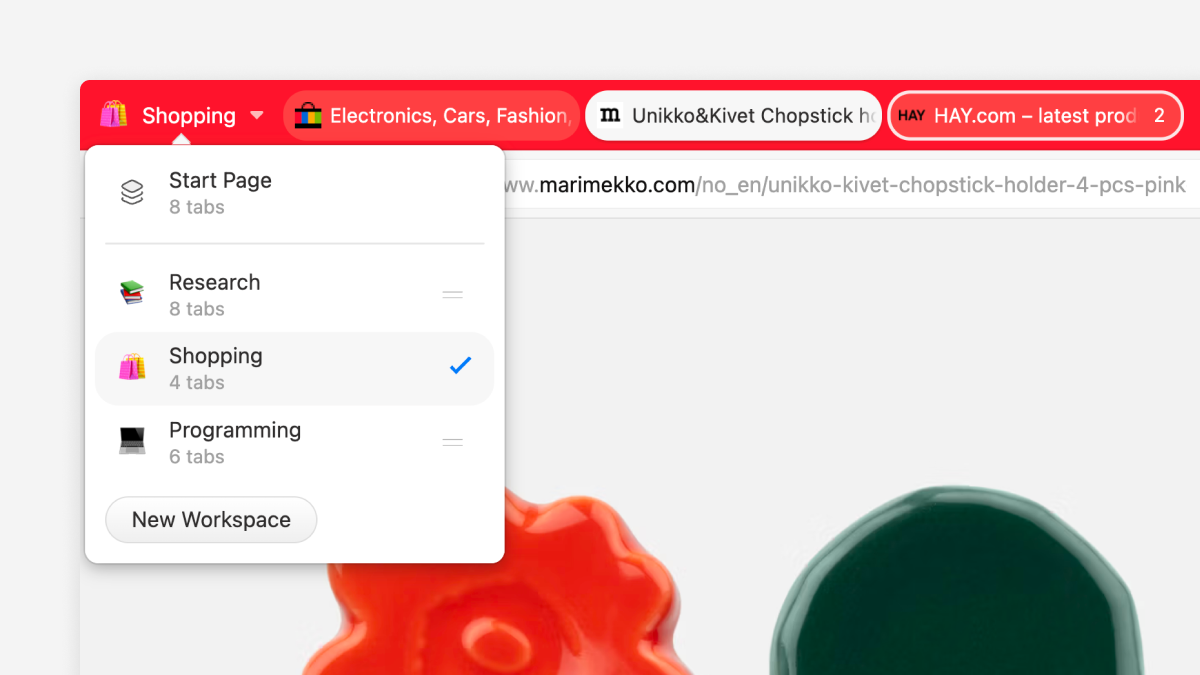
Workspaces
Workspaces is a great way to organize your tabs and your workflow in a way that makes sense to you. If it's a project at work, shopping, or social media, you can easily group them all in one workspace.
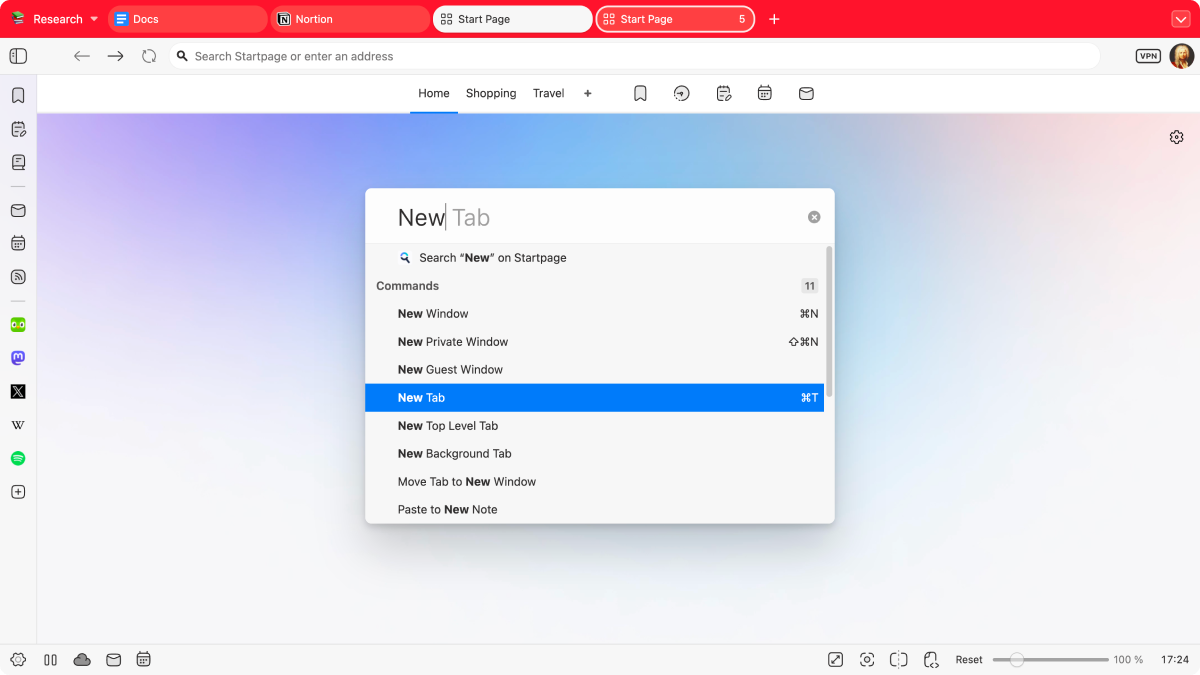
Control everything with Quick Commands
Quick Commands is Vivaldi's universal search and control center. Instantly search tabs, bookmarks, history, or the web, and quickly execute browser commands, all in one place.
What makes Vivaldi Personal
Vivaldi is the most customizable browser in the world. You can easily shape Vivaldi to fit your workflow.


Custom themes
Add your touch to Vivaldi with custom colors, wallpapers, tab edge rounding, and other settings. There are thousands, if not millions, of ways to put your personal touch on Vivaldi.

Customizable UI
Virtually everything in the Vivaldi can be personalized to adapt to you. From button placement to panel layout, you have full control to create your perfect browsing experience.

Extension support
If what you need somehow isn't already built into Vivaldi, you can bring your favorite Chrome extensions with you. They work great in Vivaldi too.

What makes Vivaldi Private
No profiling, no data mining, no-nonsense.

We respect your privacy
We don’t profile your behavior, or sell your data. The sites you visit, what you type in the browser, your downloads, we have no access to that data. It either stays on your local machine or gets encrypted.

Block trackers and ads
Privacy matters. Vivaldi comes with a built-in tracker and ad blocker to protect your browsing. You’re in control of how much or how little you want to block.

Private browsing
Private browsing mode is intended to protect your privacy from other users of your computer. Vivaldi will minimize what is stored locally on your computer so that very few traces are left of what you were browsing once you close all private browsing windows.

Proton VPN for Vivaldi
With one-click activation, you get enhanced privacy protections and all the VPN functionality you need. Because privacy should always be simple.

Password manager
Store your account login credentials in the browser, to access sites quickly and easily.

Encrypted sync
We use end-to-end encryption to protect your data from being accessed by third parties. And as an added bonus, we host your browsing data on-premises in Iceland, where it's covered by strict privacy laws.

Vivaldi takes a stance
We have called for a ban on surveillance-based advertising. It’s time to free ourselves from constant surveillance and highly personalized targeting of users on the internet. Vivaldi is fighting for a better web.What people say about Vivaldi
 Taggart@mttaggart
I continue to be a happy @Vivaldi user, and this is a big reason why: they've committed to keeping generative AI out of the browser.
 Aryan Raj@aryanrajseo
I am really happy with @vivaldibrowser. The new UI, icon looks great. The flexibility and customization options are infinite. You can literally make it your own replacing/repositioning each part of the content. The vivaldi community is top notch.
 notagenius@aileeni365
Vivaldi is a very very good browser. mindblowing actually
 Aadhavan®@aadaavaan
Just started using the new web browser #Vivaldi and I'm loving it! 🖥️ It's fast, customizable, and packed with features that make browsing so much more enjoyable.
Definitely a game-changer! 🚀
 spacemandev@spacemandev
I thought Arc was good, but Vivaldi is the real browser king
 WMouton@wmouton_dev
Your browser affects productivity! 🚀 Tried many, but Vivaldi wins.
✅ Workspaces + keybindings
✅ Organized tab sets
✅ Auto-rules for sorting
No clutter, just efficiency. What’s your go-to browser?
 Dravion@Umbral_Ice
Decided to try and give the mobile Vivaldi browser a try and wow! Fast, smooth, and things just feel intuitive, as in “oh I should just be able to do this and oh look I can”
 Chuck Baggett@ChuckBaggett
Try @vivaldibrowser
It's highly customizable.
 Vedesh Padal@vedesh_padal
there is no other browser better than @vivaldibrowser for power users
 Bobby Lyte@BobbyFlowState
I can't believe I didn't switch to @vivaldibrowser sooner 🤦♂️.
My overwhelmed tab brain has completely disappeared. 😌
How is anyone still using Chrome? Why?
 Jose Javi Asilis@javiasilis
I've been using @vivaldibrowser 7 for a week now, and it's the best release I've used in the 9 years of the browser.
• It's UI is responsive
• More modern icon looks
• Keeps high customization
 $@sandalian
The latest @vivaldibrowser for iOS is wild! 🤩