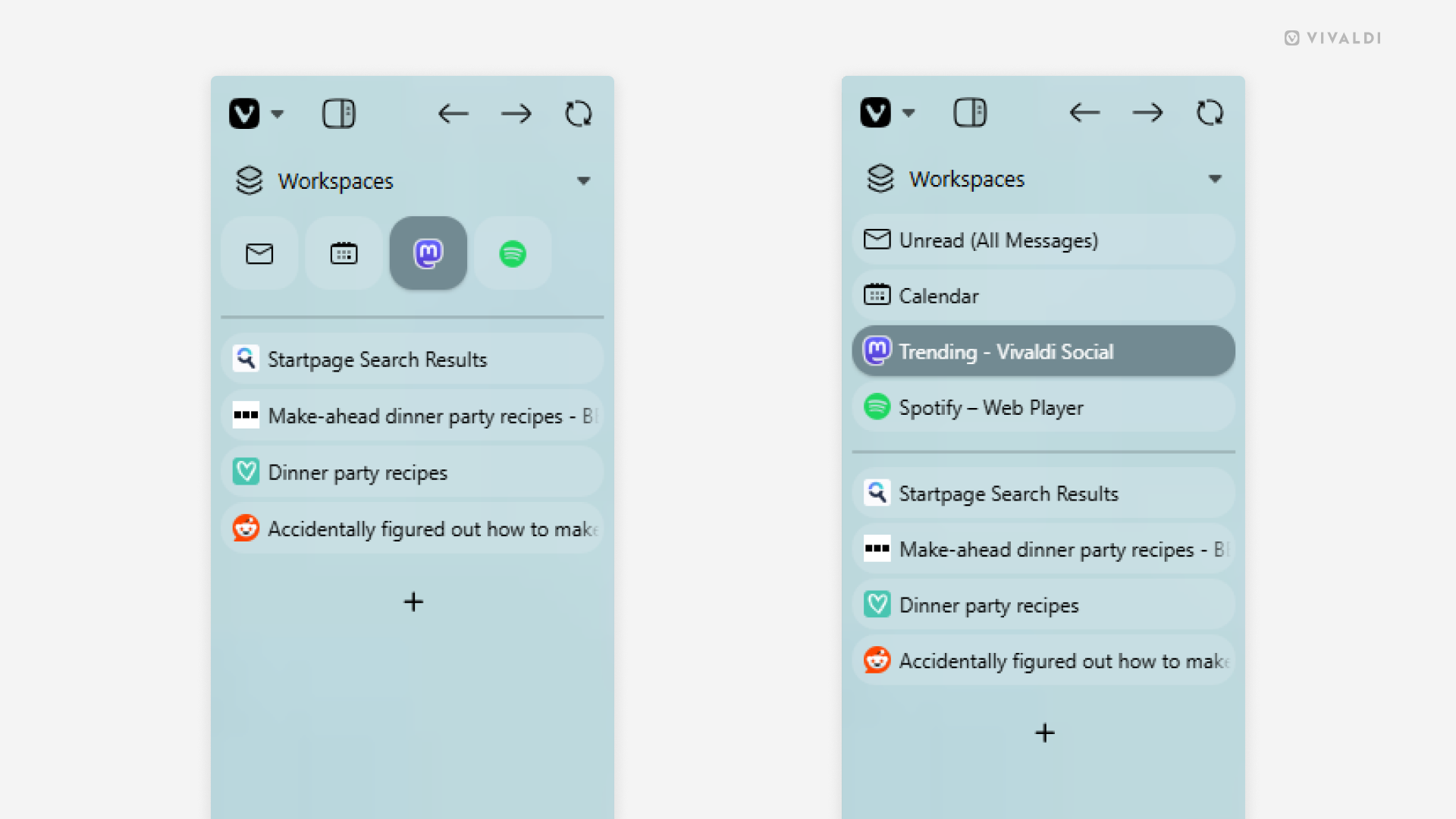
Choose whether to display Pinned Tabs on the vertical Tab Bar as icons or at full width.
If you have your Tab Bar on the side of the window, this tip is for you. In Vivaldi, you can decide, how pinned tabs are displayed. Do you prefer them side by side in a compact grid or the same way as regular tabs with the tab’s title visible in addition to the site’s logo?
To change the look:
- Go to Settings > Tabs > Tab Features > Pinned Tabs.
- (Un)tick the setting for “Show Pinned Tabs at Full Width”.