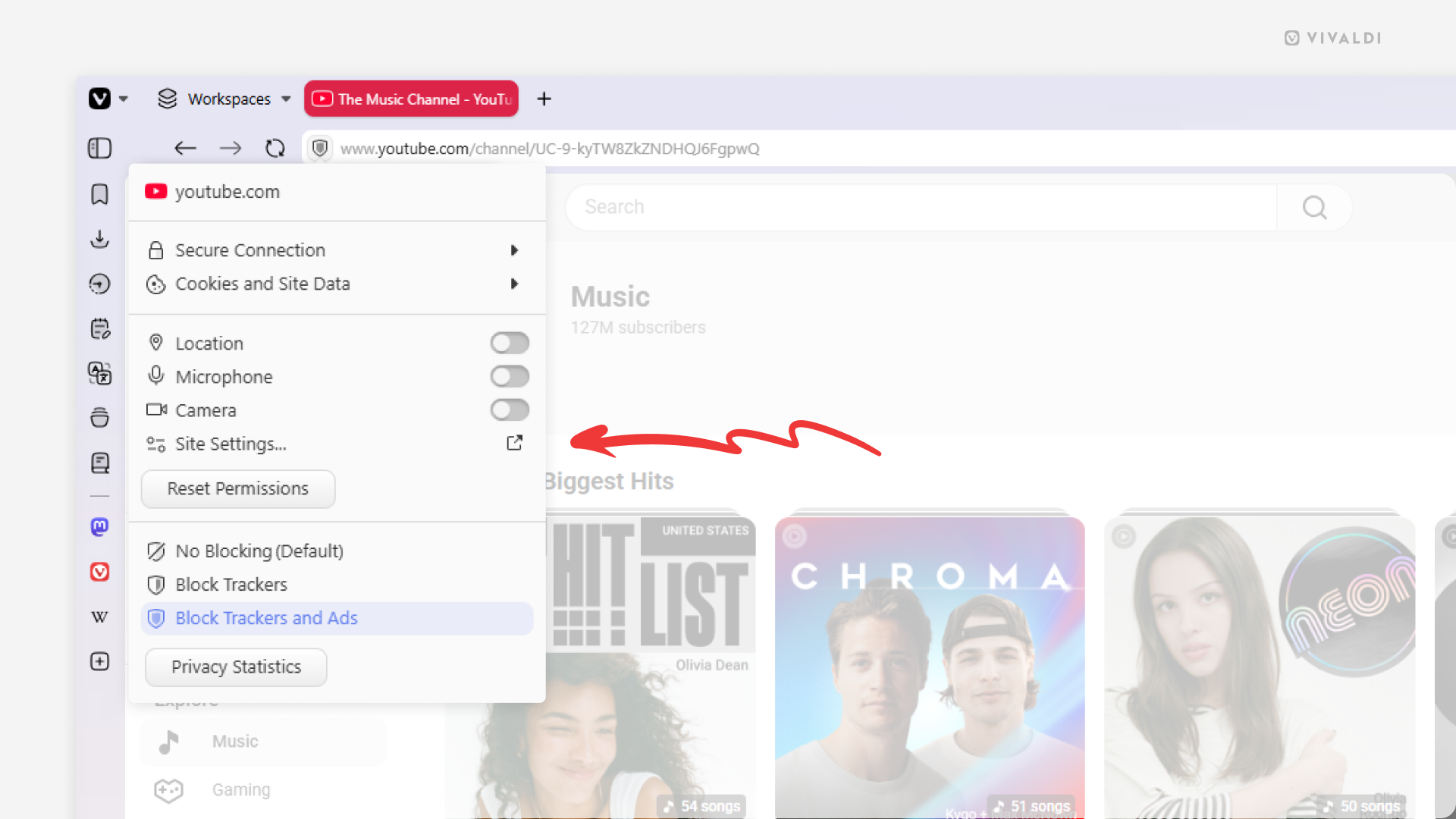
Review and update website’s permissions from the Site Info menu.
When browsing the web, you might find yourself needing to grant the website access to your camera and microphone in order to join a video call, to your location in order for the site to offer relevant content, or maybe you want to block the site’s annoying notifications and prevent it from auto-playing videos. All this and more can be managed in Website Permissions. You can view and manage global and website specific permissions in Settings > Privacy and Security > Website Permissions, but when you have the website open in a tab, you can also manage permissions the following way.
To manage website permissions:
- Open the website in a tab.
- Click on the Site Info button (shield icon) on the left side of the Address Field.
- If there already are some permissions differing from the global settings, you can change them in the same menu.
- Click “Site Settings” to view and manage all permissions.