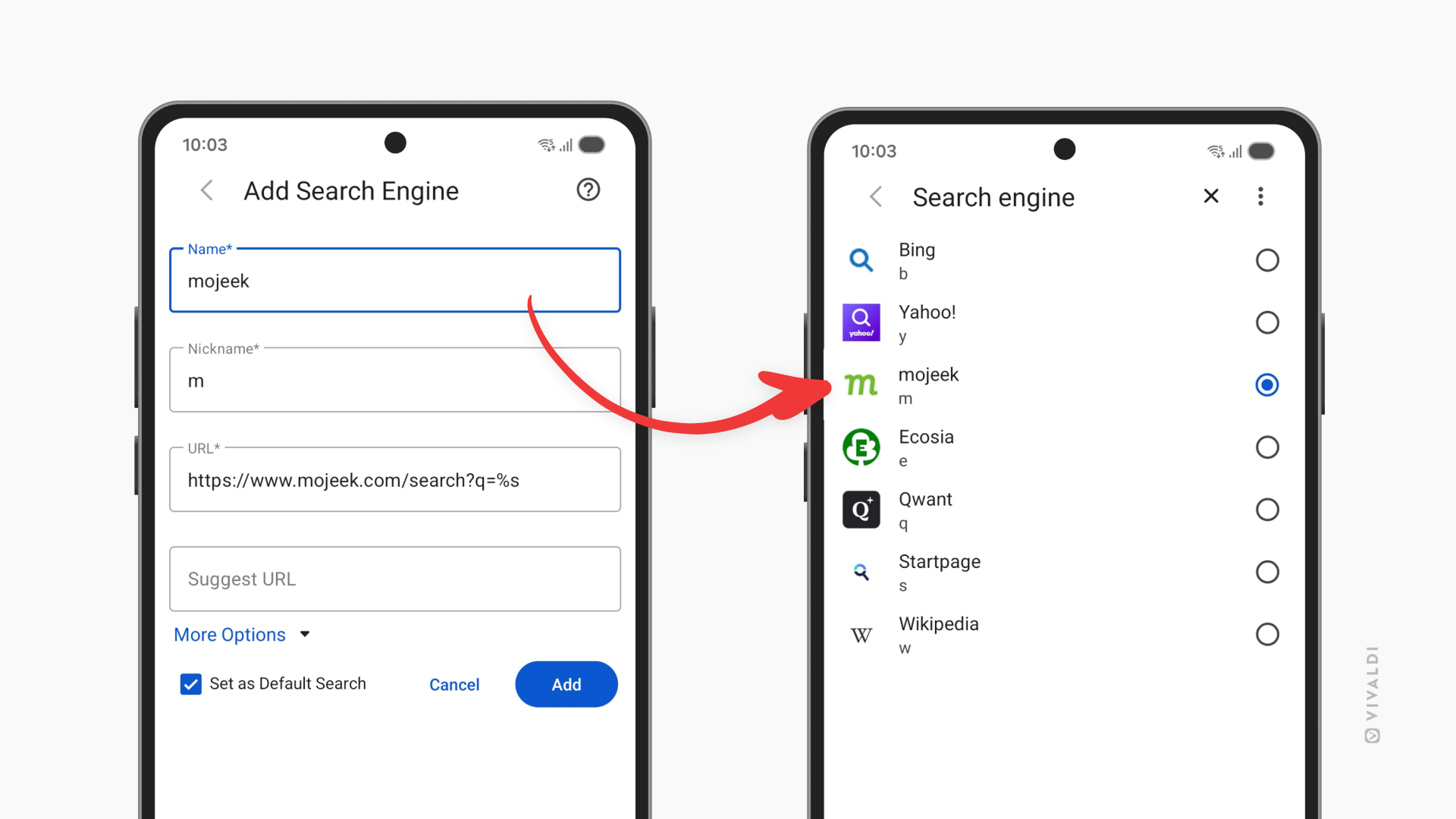
Find things faster in Vivaldi on Android with Custom Search Engines.
A lot of what we do on the web involves searching for information. Whether doing a generic search or looking things up on a frequently visited website, using the right search engine can help you get to the right search results in no time. In Vivaldi on Android, you can add your own search engines, give them nicknames, and even make the one you love your default.
To add a custom search engine in Vivaldi on Android:
- Go to Settings > Search Engine > Add Custom Search Engine.
- Enter the name of the new search engine.
- Type in a short and unique nickname.
- Insert the search URL, and if you wish to receive suggestions from the search engine as you type, also the Suggest URL.
- Optionally, expand the More Options section to enter POST parameters and, in case the search engine offers reverse image search, also the Image Search URL.
- Tap Add.
To get the Search URL, either:
- Look for it in the search engine’s documentation.
- Do a test search on the search engine’s website, copy the URL and replace the search keyword with %s.