Set up an auto-reply in Vivaldi Webmail.
Whenever you won’t be checking your mailbox for a while, for example, because you’re going on vacation, an automatic reply will inform your contacts of your absence.
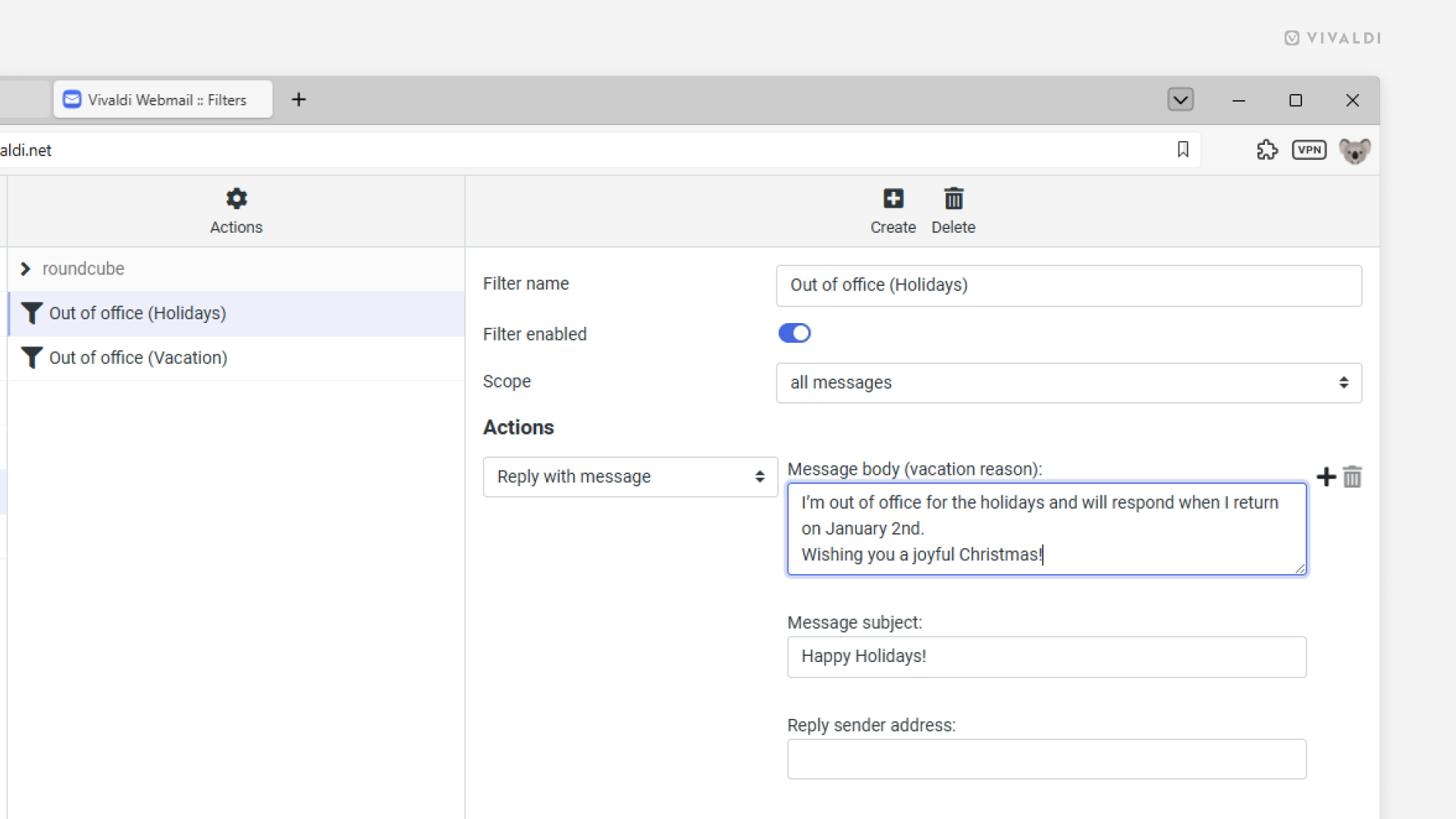
To set up an auto-reply in Vivaldi Webmail:
- Log in to your account on https://webmail.vivaldi.net/.
- Go to Settings > Filters.
- Click on “Create” near the top right of the page.
- Give the filter a name.
- Select a scope. Do you want to send the auto-reply to all incoming messages or only to ones matching certain rules?
- Set up rules, if you chose that option.
- From the Actions drop-down menu, select “Reply with message”.
- Enter your reply’s text and give the message a subject.
- Click “Save”.
When you return from your leave, simply open the filter in Settings and toggle off “Filter enabled”. Don’t forget to click “Save”!