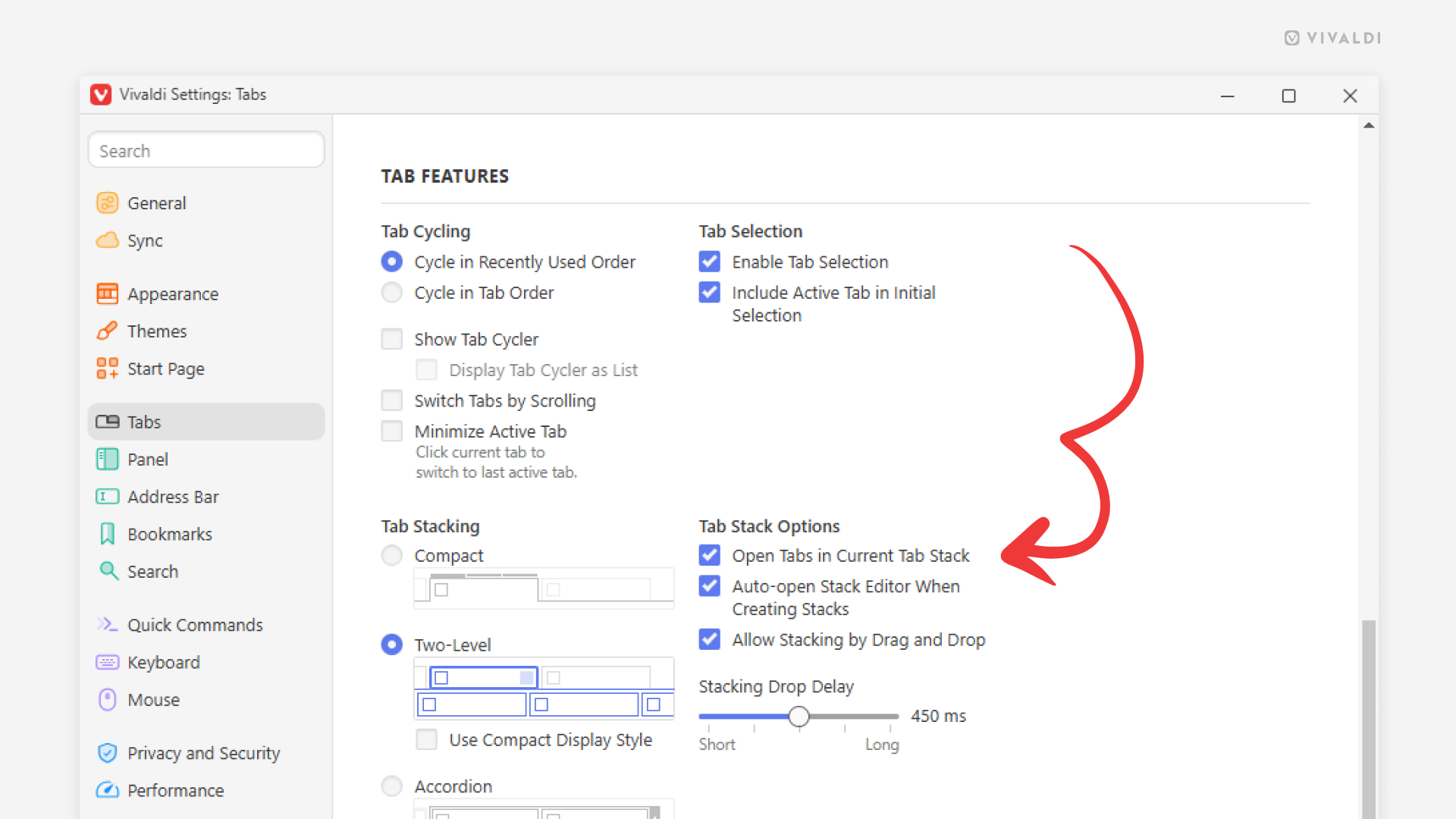
Open links from stacked tabs in new tabs outside the stack by default.
If you want to keep the selection of tabs in your Tab Stacks as they are and open links from stacked web pages in new tabs outside of the stack, there’s a setting in Vivaldi you will want to change.
To open links outside the stack:
- Go to Settings > Tabs > Tab Features > Tab Stack Options.
- Disable “Open Tabs in Current Tab Stack”.