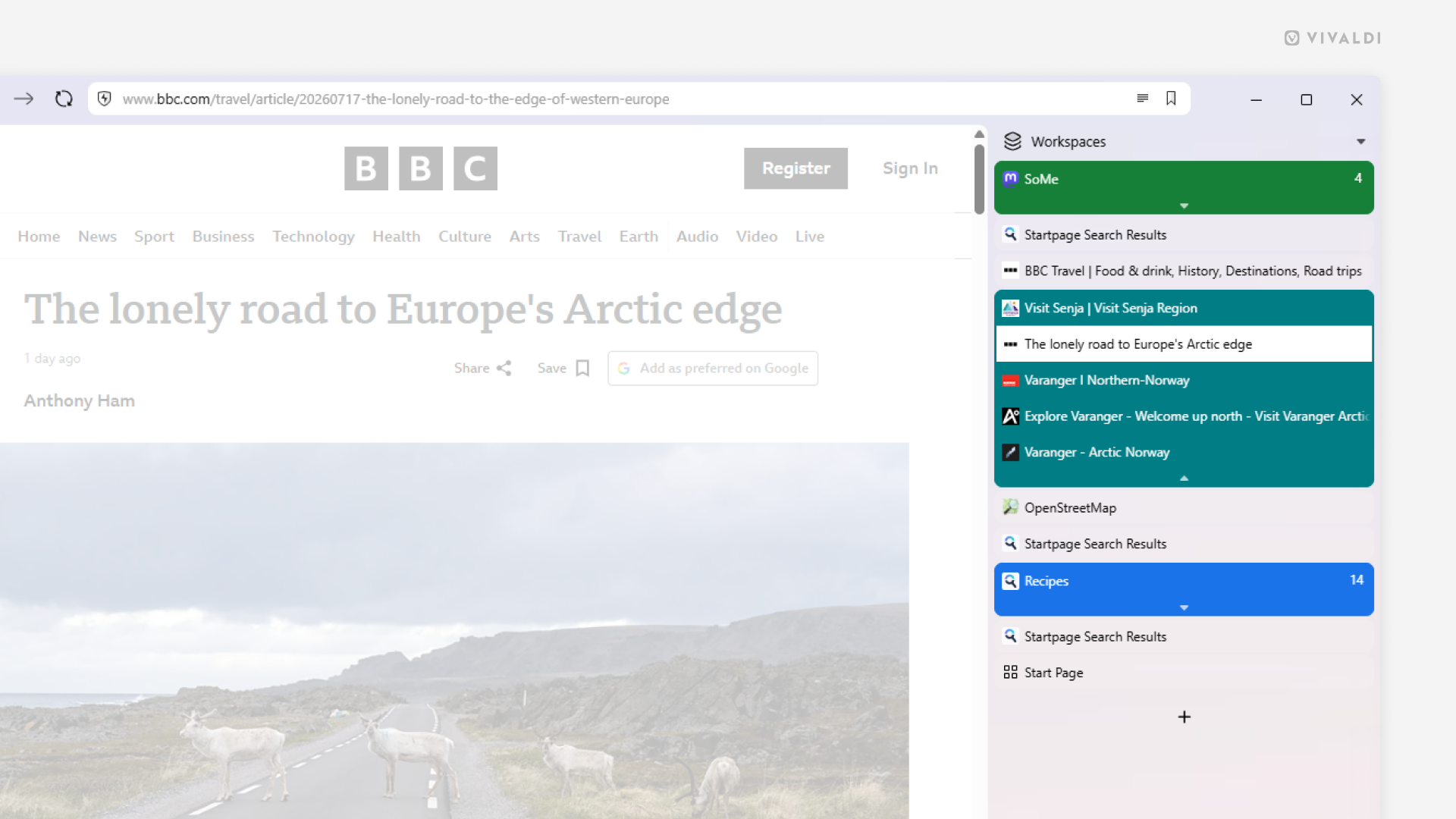
Combine the vertical Tab Bar with Accordion Tab Stacks to create an organized and space-efficient browser layout.
There are many benefits to moving your Tab Bar to the side of the browser, such as better readability of tab titles, better use of widescreen displays, larger click areas when switching tabs, and more. When you group tabs though, by default, the tabs in the stacks will be displayed on the Tab Bar’s second level, giving you essentially two Tab Bars, which take more space vertically than they do horizontally. You can win back the space by opting for Accordion style stacking on the vertical Tab Bar, which will keep your stacks on the same level as unstacked tabs.
To create this configuration:
- Go to Settings > Tabs.
- Set the Tab Bar position to either left or right side of the window.
- In the Tab Features > Tab Stacking section, select Accordion.