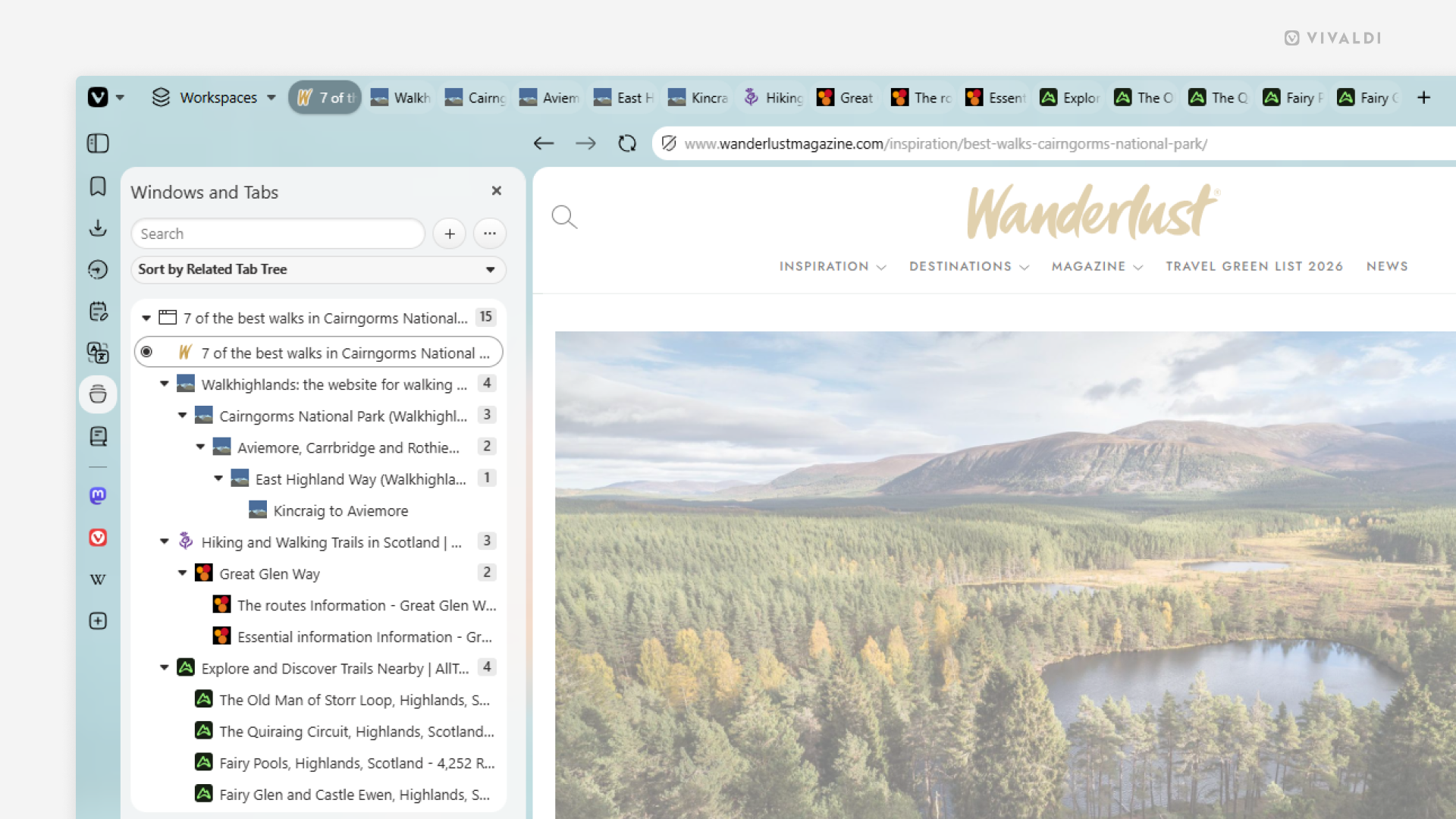
Sort tabs by relation in the Windows and Tabs Panel for a tree-style view.
If you have a ton of tabs open, viewing them in a tree-style layout allows you to get a hierarchical overview of all your browser windows, Workspaces, Tabs Stacks and Tabs. See the child-parent relation, reorder tabs, collapse/expand groups, and more.
To switch to a tree-style view in the Windows and Tabs Panel:
- Open the Windows and Tabs Panel.
- Click on the sorting menu between the search field and the list of tabs.
- Select “Sort by Related Tab Tree”.