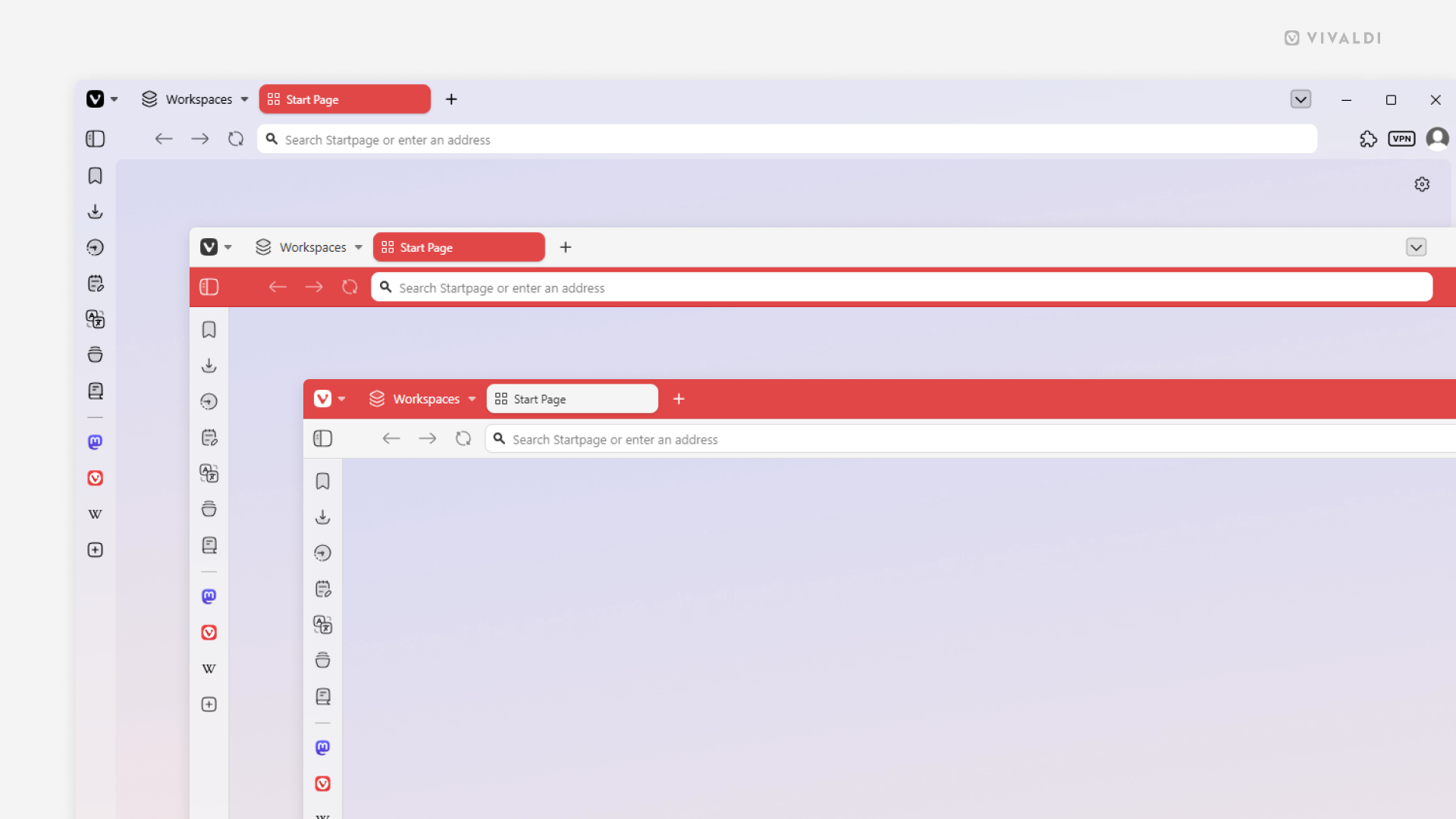
Choose the Coloring Mode that feels right for your browser theme.
With Themes you can give your browser a unique look. You can pick a ready made theme, edit one or create a completely new theme. When changing the theme’s settings, the Coloring Mode setting will have a big impact on how your browser will look, as it determines how the colors are applied to the toolbars.
There are 3 options to choose from in Settings > Themes > Editor > Colors > Coloring Mode:
- Accent Color on Tab Bar (window in the foreground)
- Accent Color on Address Bar (window in the middle)
- Unified (window in the background)