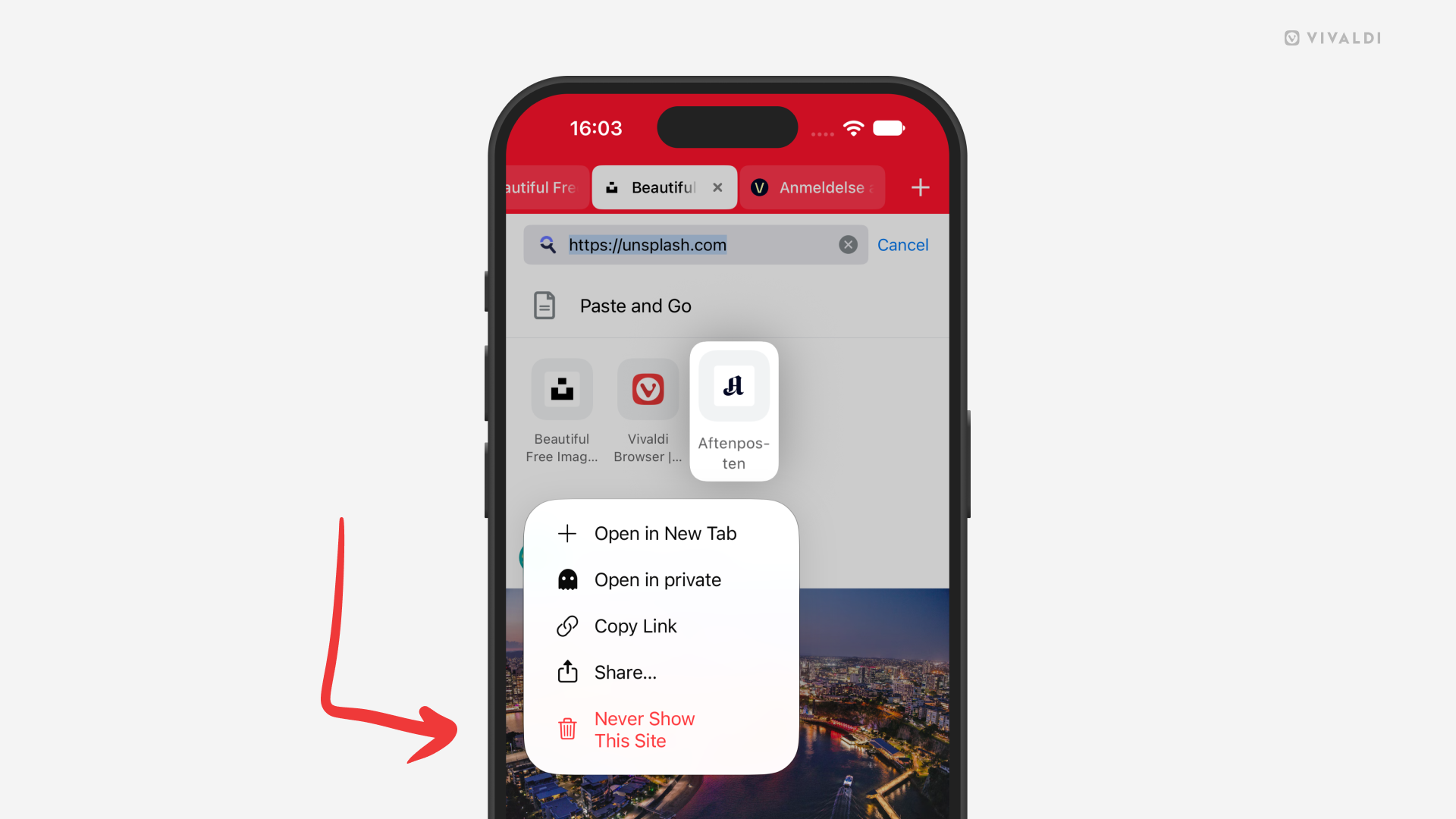
Delete suggestions in Vivaldi on iOS’ Address Field drop-down menu to make room for more relevant ones.
When you’re browsing in Vivaldi on iOS and want to go to a different website, you’ll probably tap on the Address Field to enter the new link or search term. Before you even start typing, below the Address Field you’ll see suggestions from frequently visited websites. If any of the suggestions isn’t relevant to you, you can remove it and prevent it from being shown again.
To delete a suggestion:
- Tap on the Address Field to open the drop-down menu.
- Long-press on the entry you want to delete.
- Select “Never Show This Site”.