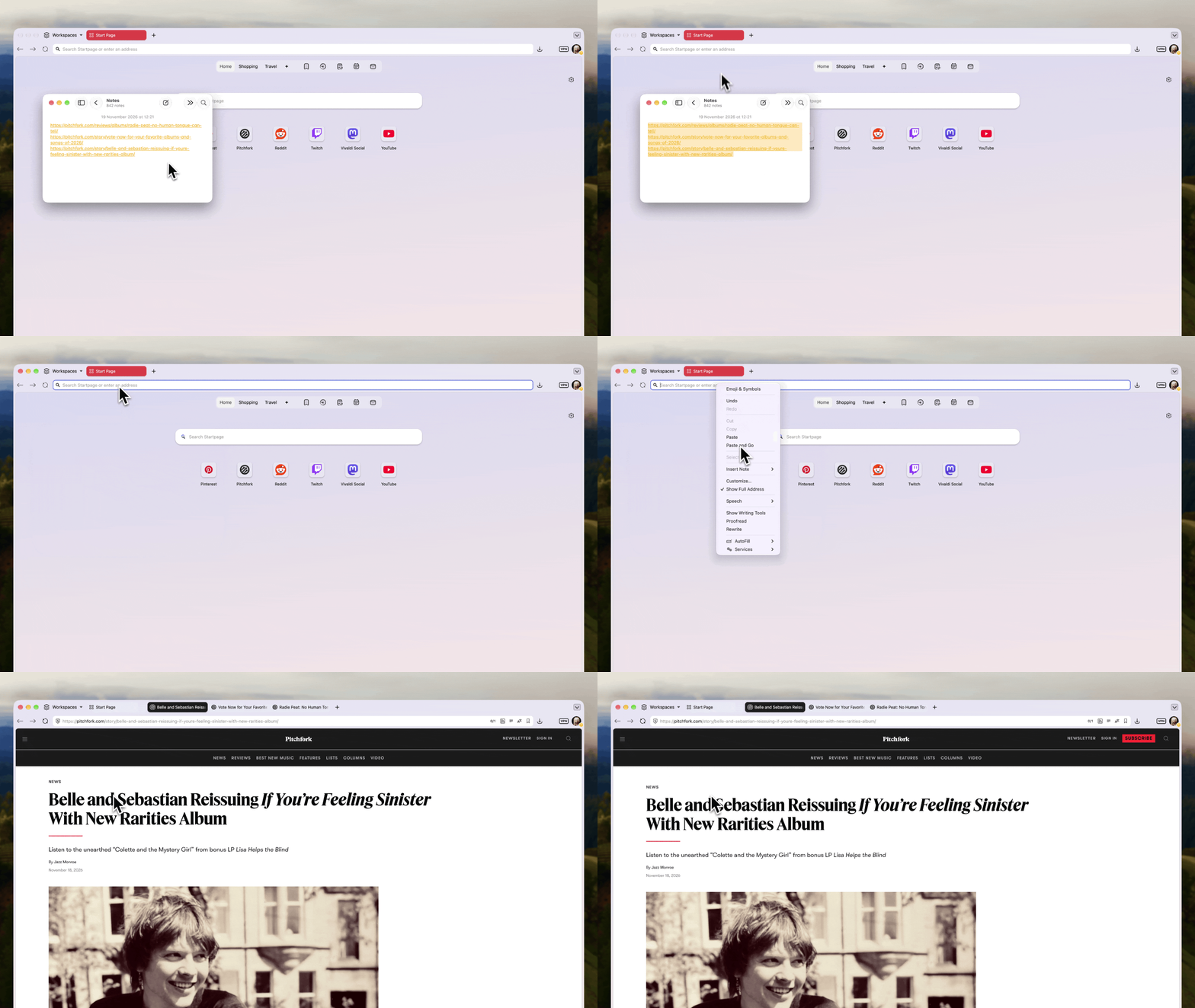
Open a list of links in new tabs with one move.
Someone sends you a long list of links in an email or a chat, and you want to open every one of them. In Vivaldi, you don’t need to open each link individually. Instead you can open them all in separate tabs in one go.
To open multiple links at once:
- Copy the list of links.
- Right-click on the Address Field.
- Select “Paste and Go”.
Alternatively, use the Keyboard Shortcut or type “Paste and Go” in Quick Commands.