
Vivaldi vs. Microsoft Edge
Many things set Vivaldi and Edge apart, MANY. If we look at the differences between the two companies, there are some core contrasts. Vivaldi is employee-owned, has no external investors, and is based in Europe. Microsoft is one of the main US Big Tech corporations and uses all kinds of dark patterns to dissuade users from switching from Edge.
Vivaldi is free from AI, it does not track you or sell your data, and lets you customize things the way you like. Unlike Edge, whose main goal seems to be “make the web a drab gray place, free of exploration”.
As far apart as the two companies are, let’s take a closer look at the feature differences between these two browsers.
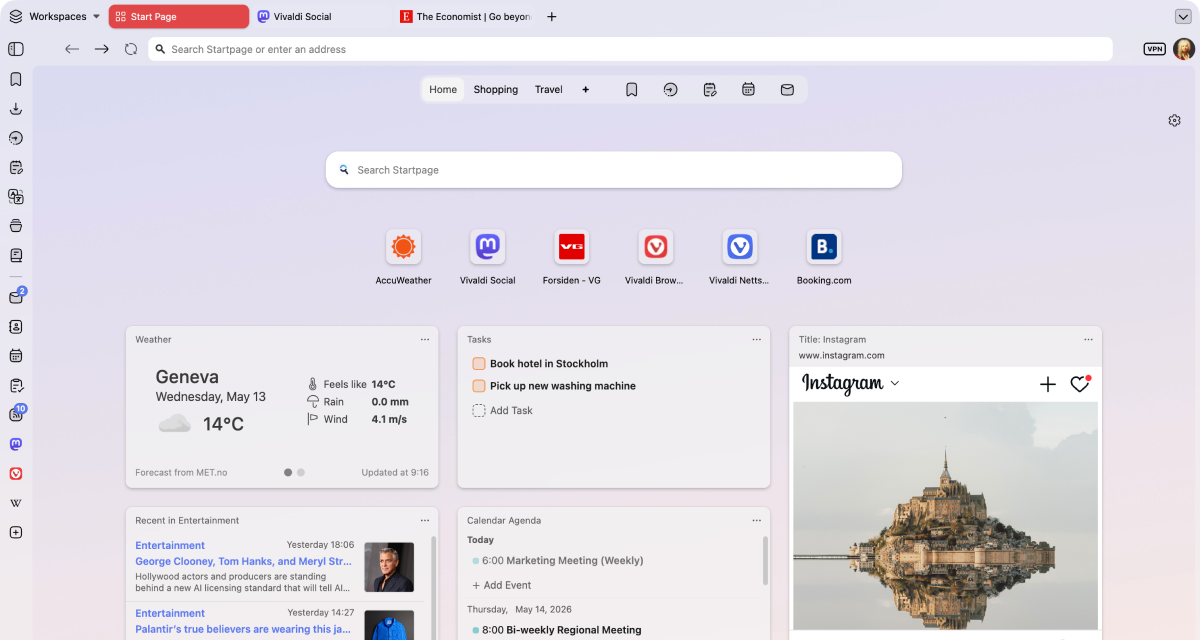
Productivity
Vivaldi is the most customizable browser in the world! Why is this important to your productivity? Elementary. It means you can make Vivaldi work just the way you need it to.
Everyone uses their browser to get something done: work, studies, shopping, research, or simply for entertainment. Vivaldi is packed with useful features to minimize distractions and help you get the task done, efficiently.
With unrivaled tab management features, a myriad of customizable shortcuts and powerful built-in tools, you’ll be able to get more done, and have fun while doing it.
 Full support
 Partial support
 No support
| Features |  |  |
|---|---|---|
| Two-level tab groups |  Full support Full support |  No support No support |
| Tab groups | Full support | Full support |
| Unlimited tabs in split-screen | Full support | No support |
| Custom tab bar placement | Full support |  Partial support Partial support |
| Custom address bar placement | Full support | No support |
| Periodic tab reload | Full support | No support |
| Install websites as desktop apps (PWAs) | Full support | Full support |
| Custom macros | Full support | No support |
| Custom mouse gestures | Full support | Partial support |
| Custom keyboard shortcuts | Full support | No support |
| Pomodoro timer | Full support | No support |
| To-do list | Full support | No support |
| Custom apps & sites in the browser sidebar | Full support | No support |
| Manual tab hibernation (RAM saver) | Full support | No support |
| Break mode | Full support | No support |
| Built-in note editor | Full support | No support |
| Built-in mail | Full support | No support |
| Built-in calendar | Full support | No support |
| Workspaces | Full support | Full support |
Vivaldi leads on tab management and productivity — with unique built-in features that make it stand out from the crowd.
Privacy
Most browsers claim to protect your privacy, but their business models often depend on some level of profiling or surveillance.
At Vivaldi, we reject these practices and believe what you do on your browser is your business and nobody else’s. We give you the tools you need to protect yourself from Big Tech’s prying eyes, like a built-in ad and tracker blocker with custom lists, Proton VPN and end-to-end encrypted data sync. With Vivaldi, you’re in control!
Full support
Partial support
No support
| Features | | |
|---|---|---|
| Built-in ad blocker | Full support | No support |
| Protection from trackers | Full support | Full support |
| Custom blocking lists | Full support | No support |
| Secure sync with encryption key | Full support | Partial support |
| No tracking & profiling of user behavior | Full support | No support |
| Free unlimited VPN | Full support | Partial support |
| European | Full support | No support |
| Data stored in Europe | Full support | No support |
Private by default: no profiling, no data selling, with built-in tracker & ad blocker and a free VPN provided by Proton.
Built-in features
At Vivaldi, our goal is to provide you with a browser that has all the built-in functionality you need. Our mantra is “a browser that adapts to you, not the other way around”, and because we all have different needs and likes, that means a browser packed with powerful built-in features.
If what you need somehow isn’t already built into Vivaldi, you can install extensions from the Chrome Web Store (they work great in Vivaldi too!), or come to our Forum and make a feature request. We thrive on user feedback: that’s how we develop and grow, as we have no shareholders or investors pulling our strings.
Vivaldi has features you want, and the features you didn’t know you needed that you won’t be able to live without.
Full support
Partial support
No support
| Features | | |
|---|---|---|
| In-browser screenshot tool | Full support | Full support |
| Private full-page translate tool | Full support | Partial support |
| Pop-out video on any website | Full support | Partial support |
| Custom shareable themes | Full support | No support |
| Editable toolbars | Full support | Partial support |
| Full Chromium extensions compatibility | Full support | Full support |
| Custom search engines | Full support | Full support |
| Page Actions to modify the look of pages | Full support | No support |
| Reader mode | Full support | Full support |
| Built-in mail | Full support | No support |
| Built-in calendar | Full support | No support |
| Built-in feed reader | Full support | No support |
| Visual history with statistics | Full support | No support |
| Image details inspector | Full support | No support |
| On/off image animation | Full support | No support |
| On/off image load | Full support | Full support |
| Free from AI | Full support | No support |
| UI Auto-hide | Full support | No support |
| Desktop mode on Android | Full support | Partial support |
Mail, Calendar, Feed Reader, Notes and Translate — all built-in, no extensions required.

No AI
Unlike most of our competitors, Vivaldi is free from generative AI features. No summarizing tools, no chatbots, you remain in control. We have taken a stand and have chosen humans over hype.
We will not turn the joy of exploring into inactive spectatorship. Without exploration, the web becomes far less interesting. Our curiosity loses oxygen and the diversity of the web dies.
Jón von Tetzchner - CEO, Vivaldi Technologies
Vivaldi is the haven for people who still want to explore. We will continue building a browser for curious minds, power users, researchers, and anyone who values autonomy.
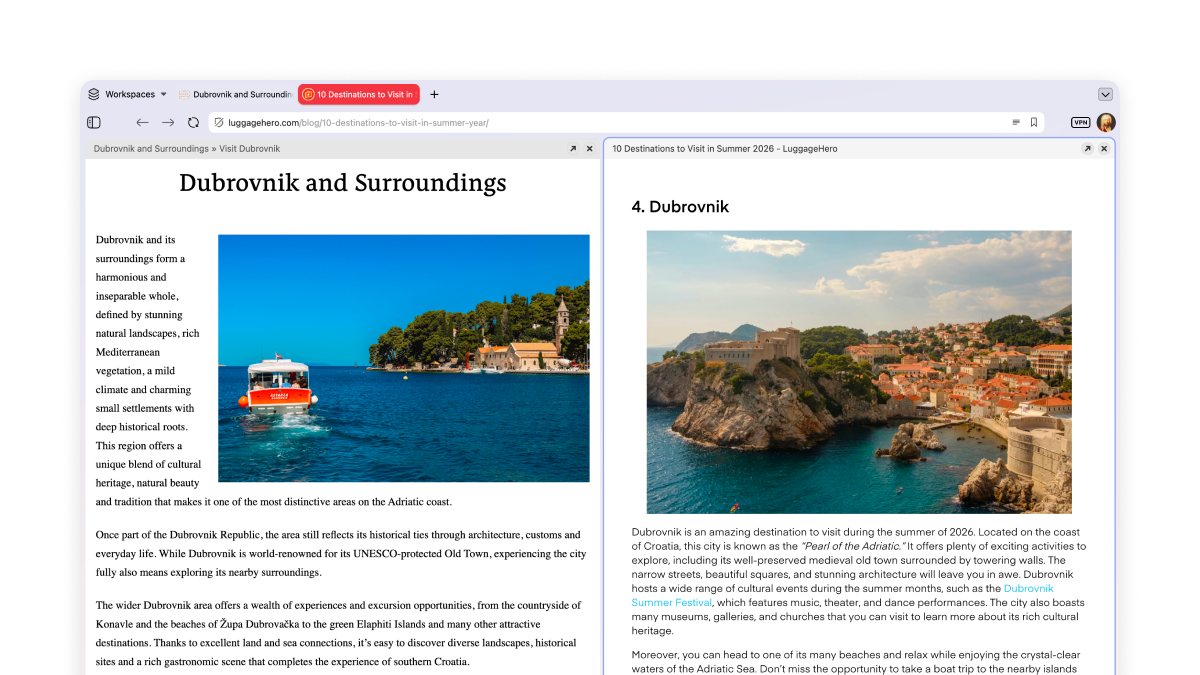
Unlimited tabs in split-screen
Tab Tiling lets you view more than one page at a time, side by side or in a grid. For work and play — great for comparing deals or monitoring multiple Twitch streams!
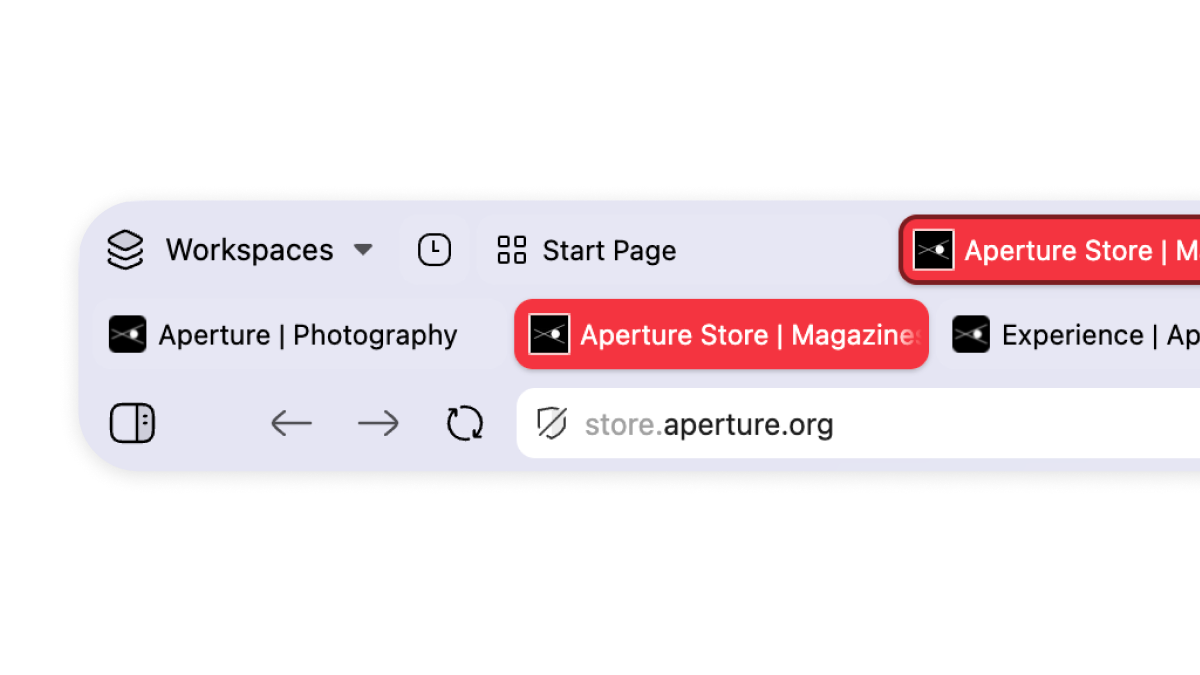
Multi-level tab groups
A key example of our unparalleled tab management. Just drag and drop your tabs to organize them in tab groups, which we call stacks. These can be renamed and colour-coded. Your stacks will remain in the main tab bar, and a second level will appear once you click on them, showing you the tabs within that group.
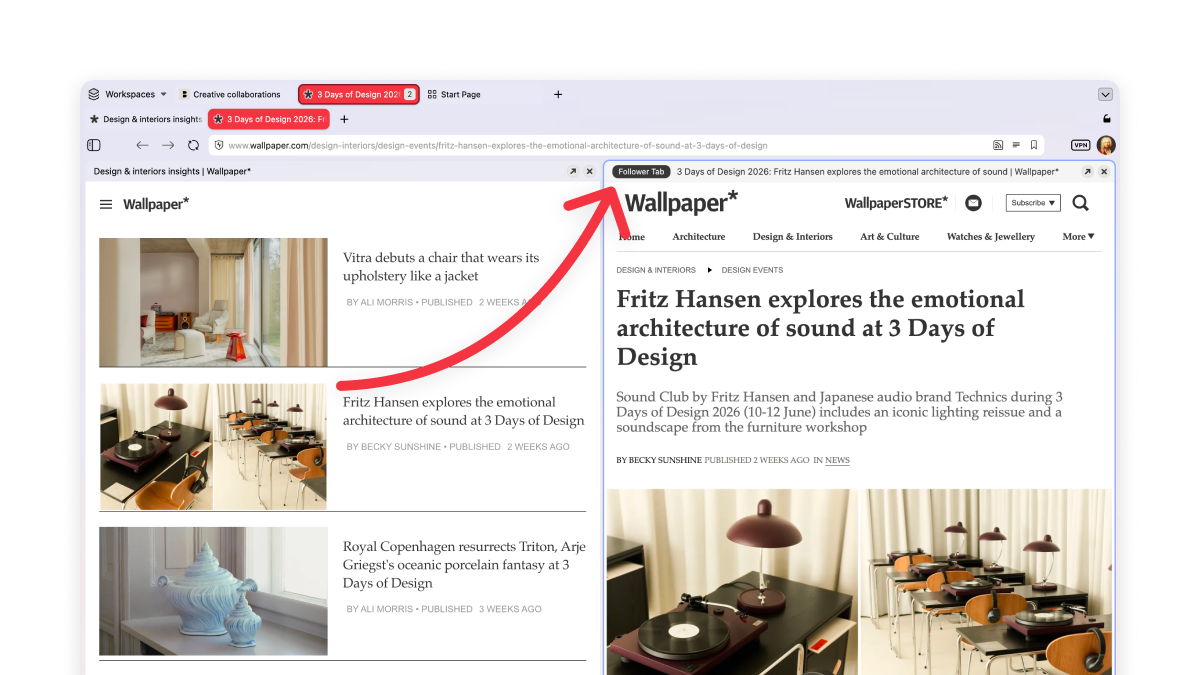
Make your tabs work for you
You know the feeling when you’re reading something good, there’s an interesting link, you click it, and twenty minutes later you’ve lost the original thread entirely and have eleven tabs open?
Not in Vivaldi. Our Follower Tab lets you open links in split-screen view, keeping the original page to your left.
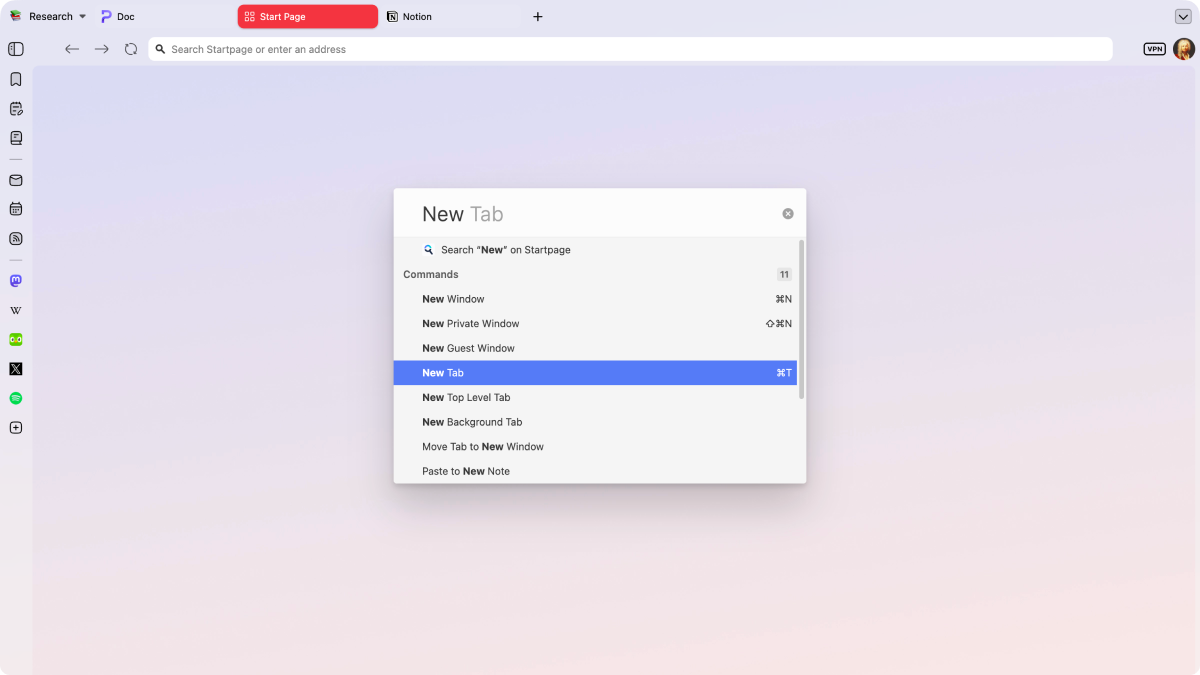
Control everything with Quick Commands
Quick Commands is Vivaldi's universal search and control center. Instantly search tabs, bookmarks, history, or the web, and quickly execute browser commands, all in one place.
Frequently asked questions
-
Can I use my Microsoft Edge extensions in Vivaldi?
Yes, Vivaldi runs on the same Chromium engine as Microsoft Edge, so most Edge extensions work in Vivaldi. You can find all your favourite extensions in the Chrome Web Store.
-
Can I transfer my Microsoft Edge history, bookmarks and passwords to Vivaldi?
Yes, you can bring your bookmarks, history, and passwords over from Edge. During Vivaldi’s setup process you will be prompted to choose your previous browser to import your data quickly and safely.
-
Why does my default browser keep reverting back to Microsoft Edge?
That’s unfortunately not under our control. Microsoft wires Edge deep into the OS as the default browser, tied to Microsoft 365. A Windows update or certain system links can quietly reset your default back to Edge. If that happens, you may need to reselect Vivaldi in Settings > Apps > Default apps.
-
Is Vivaldi more private than Microsoft Edge?
Yes. Vivaldi has a built-in ad and tracker blocker with support for custom lists. We believe what you do with your browser is not our business, so we do not track or profile you. Vivaldi also stores your encrypted data on our own servers located in Iceland, and is therefore bound by European GDPR law.
-
Does Vivaldi have Copilot or AI features like Microsoft Edge?
No. Despite the pressure from the tech industry, we have rejected the idea of adding AI from the beginning. We have chosen a human-first approach and will not have any chatbots or AI summarization tool. Edge, by contrast, has Copilot built-in as a core feature.
Compare Vivaldi with other browsers
Last updated: October 2026