Proton VPN for Vivaldi
Sikre tilkoblingen din, beskytt personvernet ditt på nettet og få sømløst tilgang til globalt innhold direkte fra Vivaldi, drevet av Proton VPN.


Skjul IP-adressen din
Proton VPN for Vivaldi er en rask og pålitelig VPN-tjeneste som beskytter personvernet ditt på nettet ved å skjule din virkelige IP-adresse.
Blokker ondsinnede skript
Protons DNS-filtrering forhindrer tilkoblinger til uønskede domener og blokkerer ondsinnede skript.
Få tilgang til globalt innhold
Når du er koblet til en Proton VPN-server, kan du få tilgang til nettsteder, innhold og tjenester som kan være blokkert eller begrenset i din del av verden.
Sterk kryptering
Protons VPN-protokoller bruker velprøvde åpen kildekode-krypteringsstandarder som AES-256 og ChaCha20 på sine sterkeste innstillinger.
Personvern du kan stole på
Proton opererer med en streng no-logs-policy og VPN-protokollene deres bruker velprøvde krypteringsstandarder med åpen kildekode. Sånn kan du være sikker på at nettaktiviteten din forblir helt privat.
Høyhastighetsservere
Protons 10 Gbps-servernettverk kombinert med en unik VPN Accelerator øker VPN-hastighetene dine med opptil 400% samtidig som den gir deg den sterkeste krypteringen og den høyeste sikkerheten.
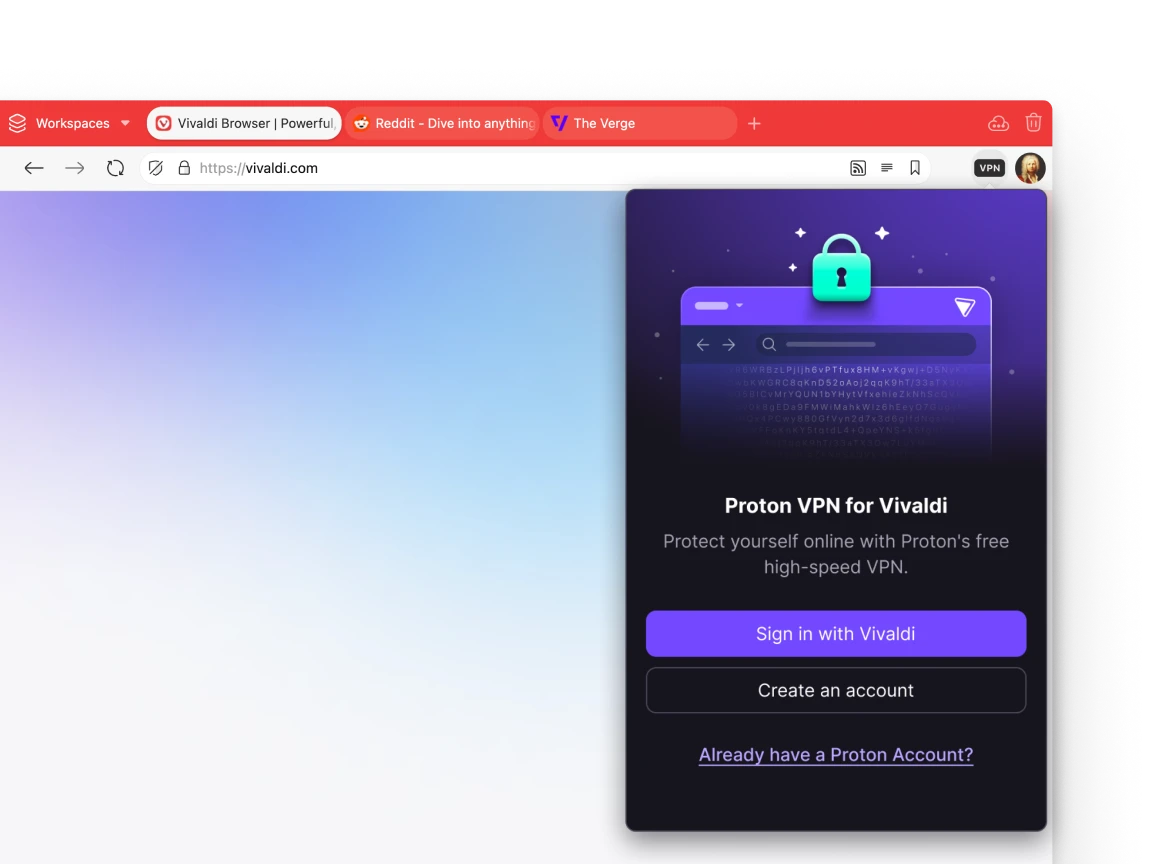
Innebygd i Vivaldi
Proton VPN for Vivaldi er bygget rett inn i nettleseren. Alt du trenger å gjøre er å åpne nettleserinnstillingene, aktivere Proton VPN for Vivaldi, og vipps, så kan du surfe helt privat.


Gjør personvern standard
Proton ble startet i Sveits i 2014 av forskere som møttes ved den europeiske organisasjonen for kjernefysisk forskning (CERN). Visjonen deres er å bygge et internett der personvern er standard gjennom et økosystem av tjenester tilgjengelig for alle, overalt, hver dag.

Europeisk personvern
I en æra dominert av Big Tech representerer Vivaldi og Proton en europeisk forpliktelse til digital uavhengighet, personvern og åpenhet. Ved å velge Proton og Vivaldi blir du med i en voksende bevegelse som mener personvern er en grunnleggende rettighet, ikke et privilegium.
Ofte stilte spørsmål
-
Hvordan fungerer Proton VPN for Vivaldi?
Proton VPN beskytter ditt personvern på nettet ved å skjule din virkelige IP-adresse. Med din virtuelle plassering skjult, er det mye vanskeligere for nettaktiviteten din å bli overvåket, begrenset eller solgt til annonsører.
-
Hvordan installerer jeg Proton VPN for Vivaldi?
Proton VPN for Vivaldi er klar fra start. Dette er imidlertid en opt-in-funksjon og er ikke installert på forhånd, så det første du må gjøre er å klikke på VPN-knappen i verktøylinjen. Da trenger du bare å logge på med Vivaldi-kontoen din for å komme i gang. Hvis du ikke har en konto kan du opprette en.
-
Er Proton VPN for Vivaldi gratis?
Ja. Proton VPN for Vivaldi er gratis uten annonser, uten datagrenser og med en streng no-logs-policy. Noen premiumfunksjoner er bare tilgjengelige på det betalte Proton VPN Plus-abonnementet.
-
Hvor sikker er Proton VPN for Vivaldi?
All Proton VPN-nettverkstrafikk er kryptert med enten AES-256 eller ChaCha20, og Proton bruker sterke VPN-protokoller som WireGuard® og OpenVPN.
-
Kan jeg bruke Proton VPN for Vivaldi på mobil?
Proton VPN for Vivaldi er kun tilgjengelig for PC for øyeblikket. Vi håper å få det med til mobil i fremtiden.
-
Hvordan finansieres dette?
Proton VPN for Vivaldi tilbyr et gratis alternativ uten tidsbegrensning, uten noen annonser eller sporere, og uten båndbreddegrenser. Brukere kan oppgradere til en Proton VPN betalt plan for å få tilgang til andre funksjoner som høyere hastigheter, ekstra servere, ekstra enheter osv. Enten de velger en gratis eller en betalt versjon, vil de dra nytte av de samme avanserte anti-sensurfunksjonene. Hvis en bruker oppgraderer til Proton VPN Plus, genererer dette inntekter for Proton og Vivaldi.
-
Er det lovlig å bruke Proton VPN?
Bruk av VPN er lovlig i de fleste land, men noen nasjoner begrenser eller forbyr VPN-bruk. Lær mer i Protons land-for-land VPN-guide.