Android: tus pestañas, tu información, a tu manera
Ancla las pestañas importantes
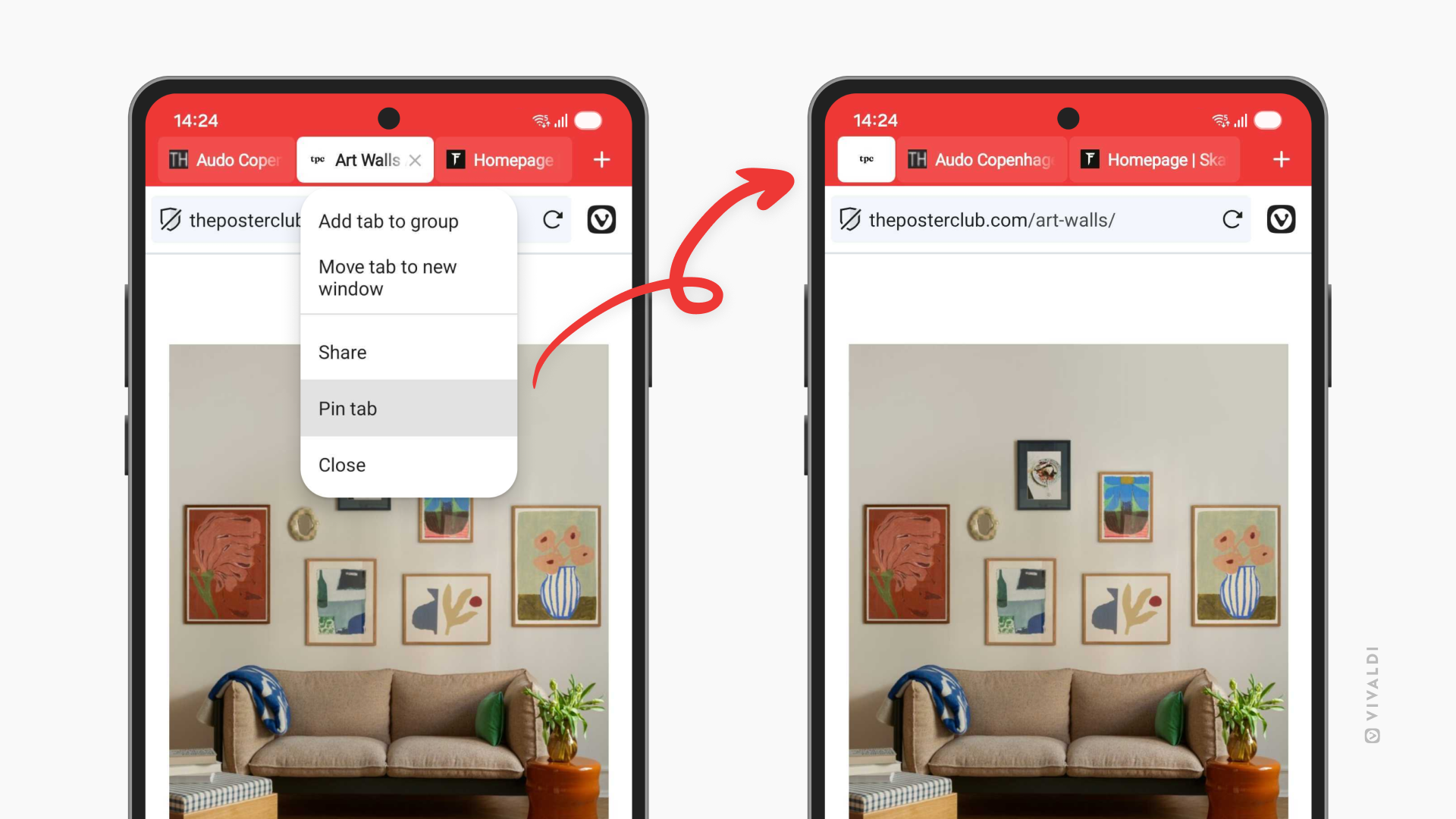
Ya están aquí las pestañas ancladas en Vivaldi para Android. Si ya utilizas esta función en escritorio, sabrás bien por qué es importante. Algunas pestañas merecen un sitio especial en tu barra de pestañas. El dashboard de tu trabajo, tu sitio de noticias favorito, esa receta que estás perfeccionando. Las pestañas a las que vuelves una y otra vez a lo largo de un día.
Ahora ya puedes anclarlas en tu teléfono, manteniéndolas a un dedo de distancia. Pulsa unos segundos sobre cualquier pestaña y selecciona «Anclar pestaña» para que se quede de forma permanente al principio de tu barra de pestañas.
Esto es especialmente útil si eres ese tipo de personas que abre docenas de pestañas al día (no juzgamos). Las pestañas ancladas le dan estructura al caos de tu navegación, manteniendo las pestañas esenciales separadas de las temporales.
Vigila quién te ve (y evítalo)
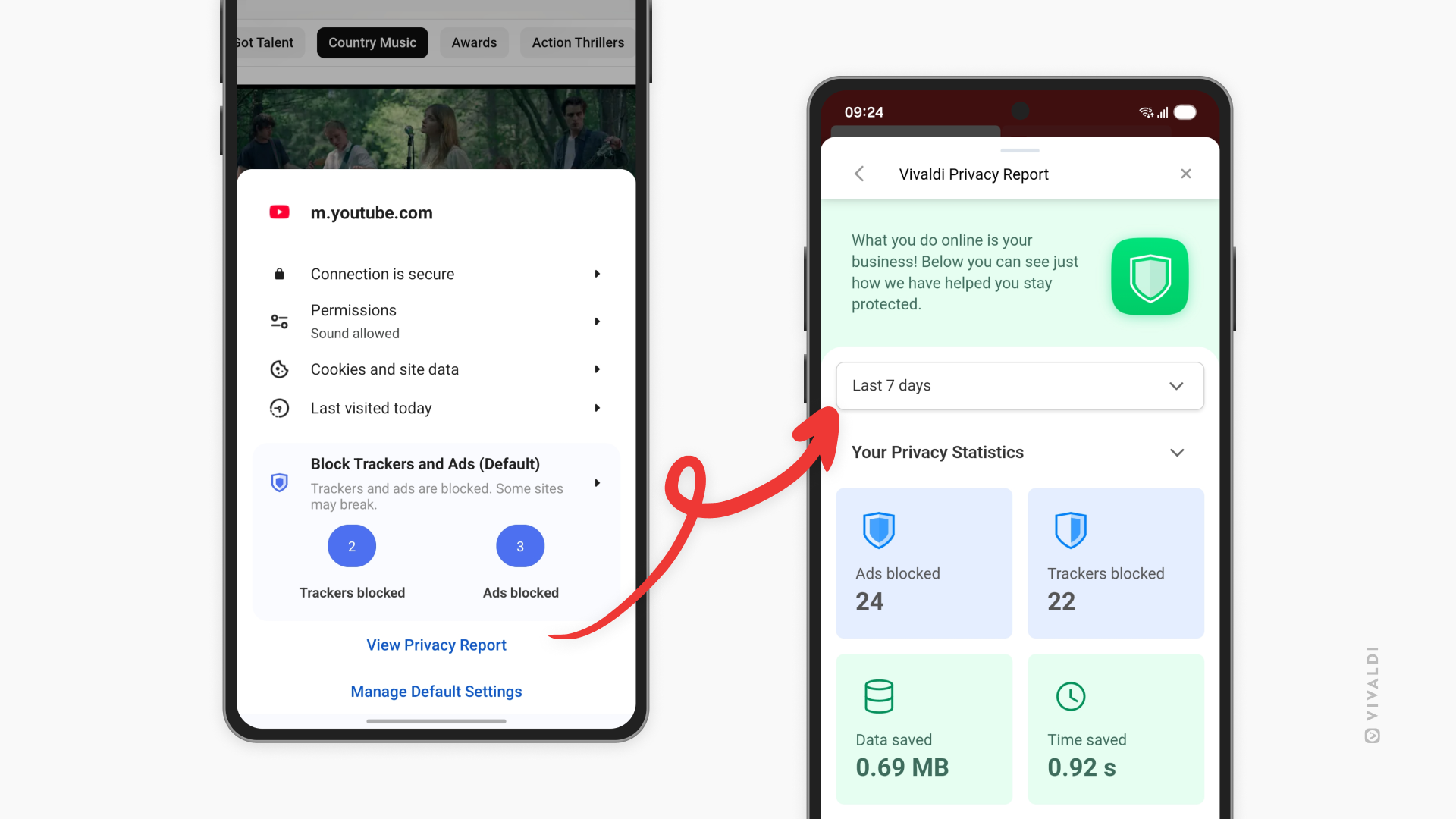
Tu teléfono va contigo a todas partes. Tu navegador no debería facilitar que las empresas también te sigan a ti. Por ello hemos añadido el tablero de privacidad a Vivaldi para Android.
El tablero de privacidad te muestra exactamente los rastreadores y anuncios que Vivaldi ha bloqueado mientras navegabas. No es sólo un número, es una ventana al estado de internet, y a cómo todo está diseñado para ir siguiéndote. Cada rastreador que bloquees es una empresa menos recopilando información sobre tus hábitos, tus intereses, tu vida.
Piensa en esto como una especie de revisión de la realidad de la web moderna. Seguro que te sorprenden las cifras. Algunos sitios web intentan cargar docenas de rastreadores incluso antes de que termines de leer el titular. Con el tablero de privacidad, lo verás todo y comprenderás exactamente cómo te protege Vivaldi. Puedes acceder al tablero de privacidad desde el icono del escudo en la barra de direcciones.
Es importante ser lo más transparente posible. Mereces saber qué está pasando entre bastidores mientras navegas. El tablero de privacidad pone esa información a tu disposición.
Elige tu gestor de contraseñas
Vivaldi tiene un gestor de contraseñas integrado, pero quizá lleves años usando Bitwarden, 1Password o cualquier otro gestor, y prefieras esa opción. ¿Por qué cambiar?
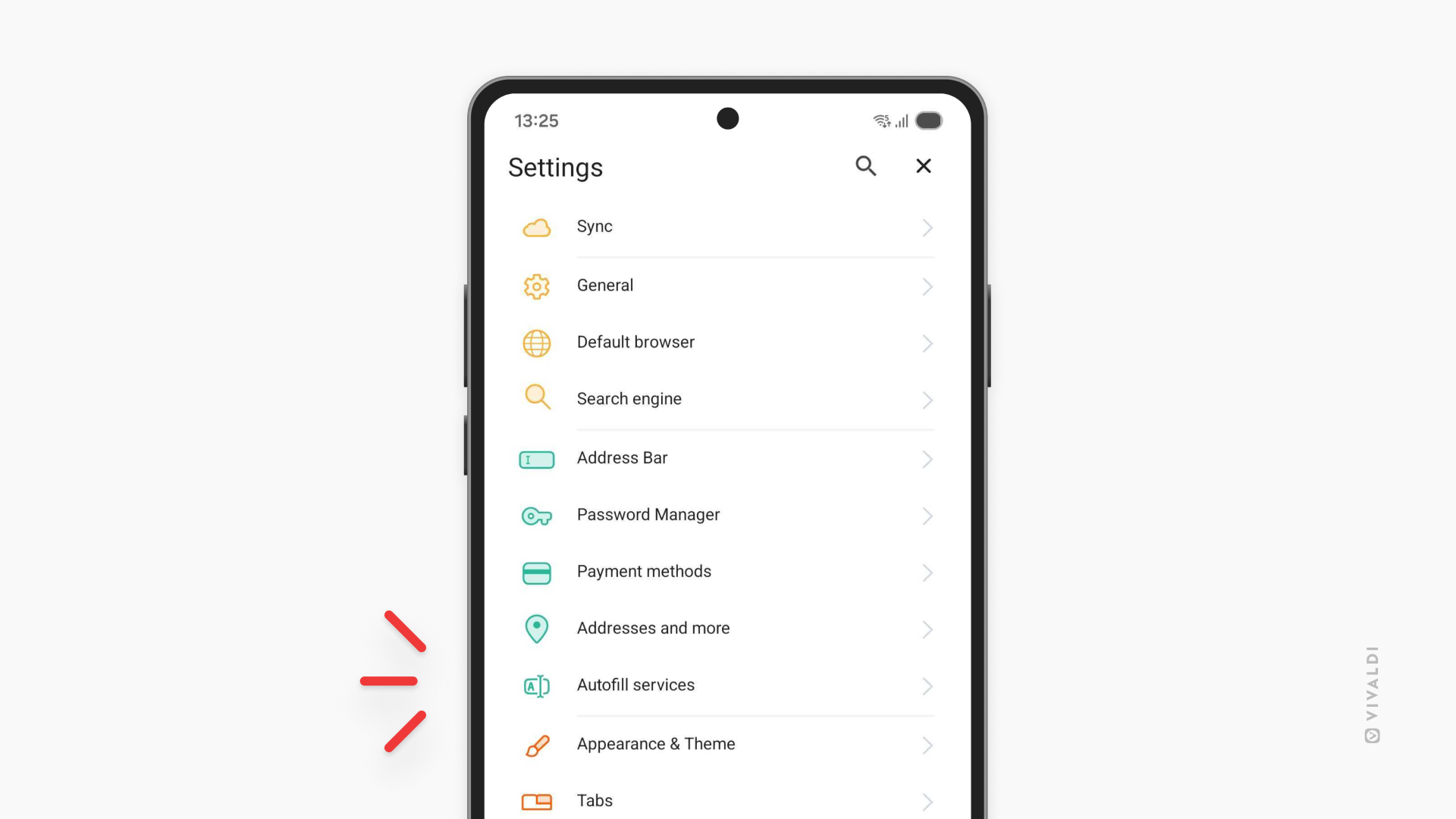
Ahora verás un ajuste en Vivaldi para Android que te deja decidir: utilizar el gestor de contraseñas interno de Vivaldi, o ceder la ayuda para iniciar sesión a un gestor de terceros en el que ya confíes. La decisión es tuya. El ajuste se llama «Servicios de autocompletado».
Esta novedad está en comunión con la filosofía de Vivaldi: darte las herramientas, y dejarte decidir cómo usarlas. Tus contraseñas son parte de tus datos más sensibles. Deberías poder controlar dónde las guardas y cómo se gestionan.
Pequeños detalles
A veces, las mejores funciones son las que no están ahí en medio. Esta versión incluye dos nuevos ajustes que hacen precisamente eso:
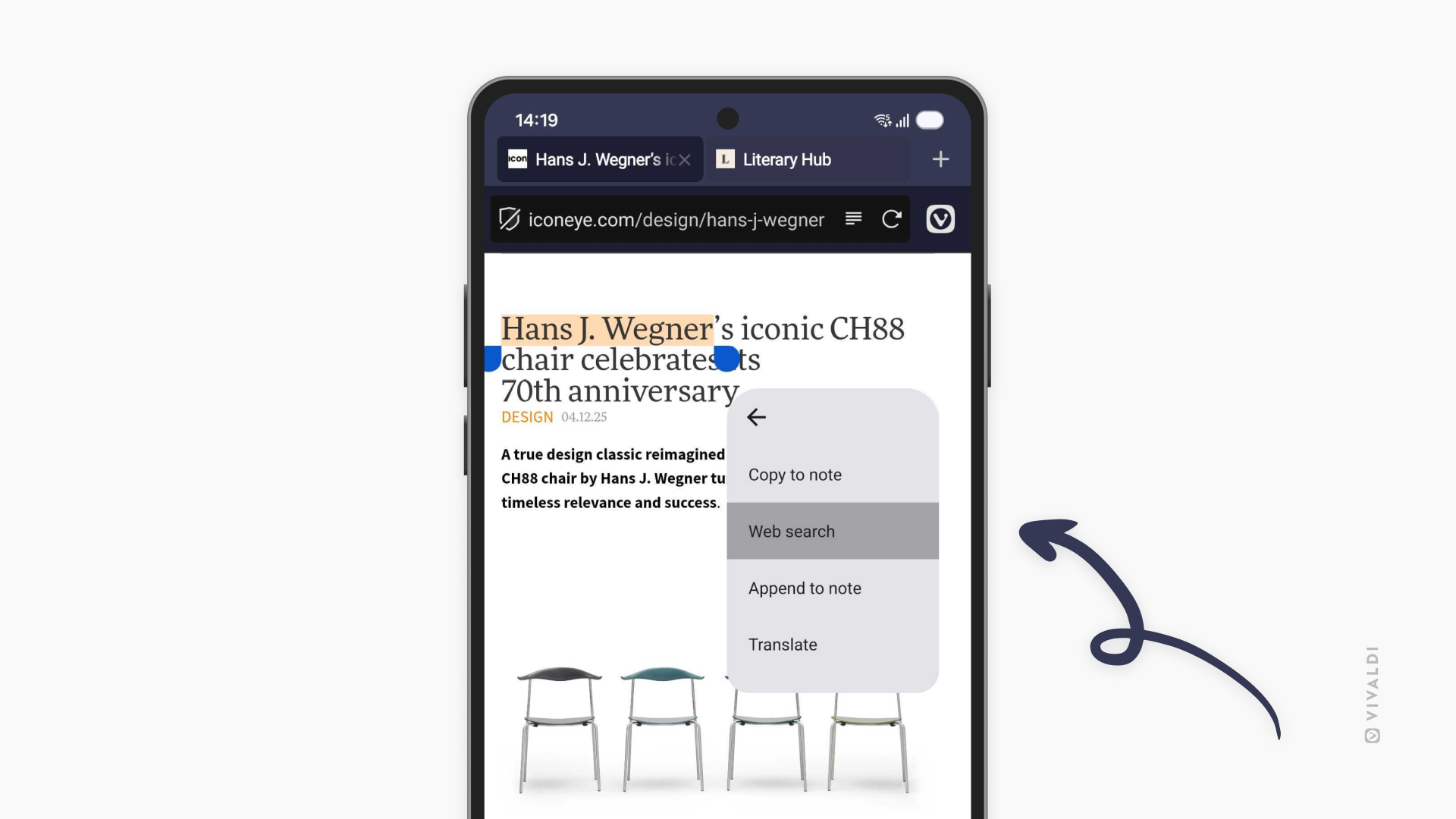
Busca de forma privada, más rápido. Ahora puedes buscar con el texto seleccionado directamente en pestañas privadas. Resalta cualquier texto en una página y verás la opción de buscarlo en una nueva pestaña privada. Rápido, práctico y tu historial de búsqueda se mantiene privado.
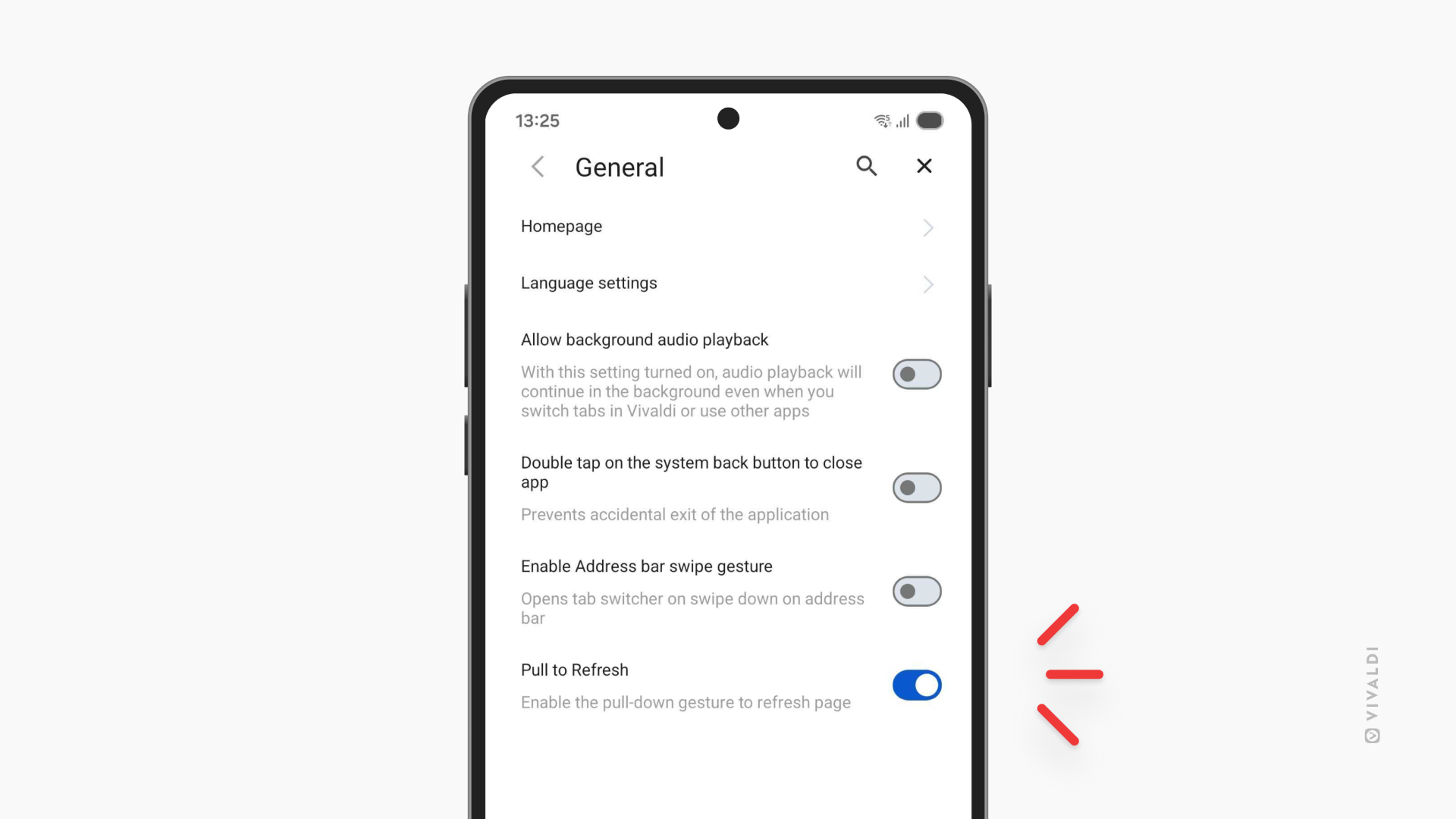
Desactiva la función de arrastrar para actualizar. Si alguna vez has hecho que la página se recargara accidentalmente mientras vas hacia abajo en una página (¿a quién no le ha pasado?), esto es para ti. Ve a Configuración y desactiva la función de arrastrar para actualizar. Se acabó el perder el hilo por haber deslizado el dedo con demasiado entusiasmo.
iOS: más rápido, más fluido, más personal
Esta actualización de iOS se centra en optimizar tu ritmo de navegación. Tres funciones que eliminan fricciones y te mantienen en movimiento.
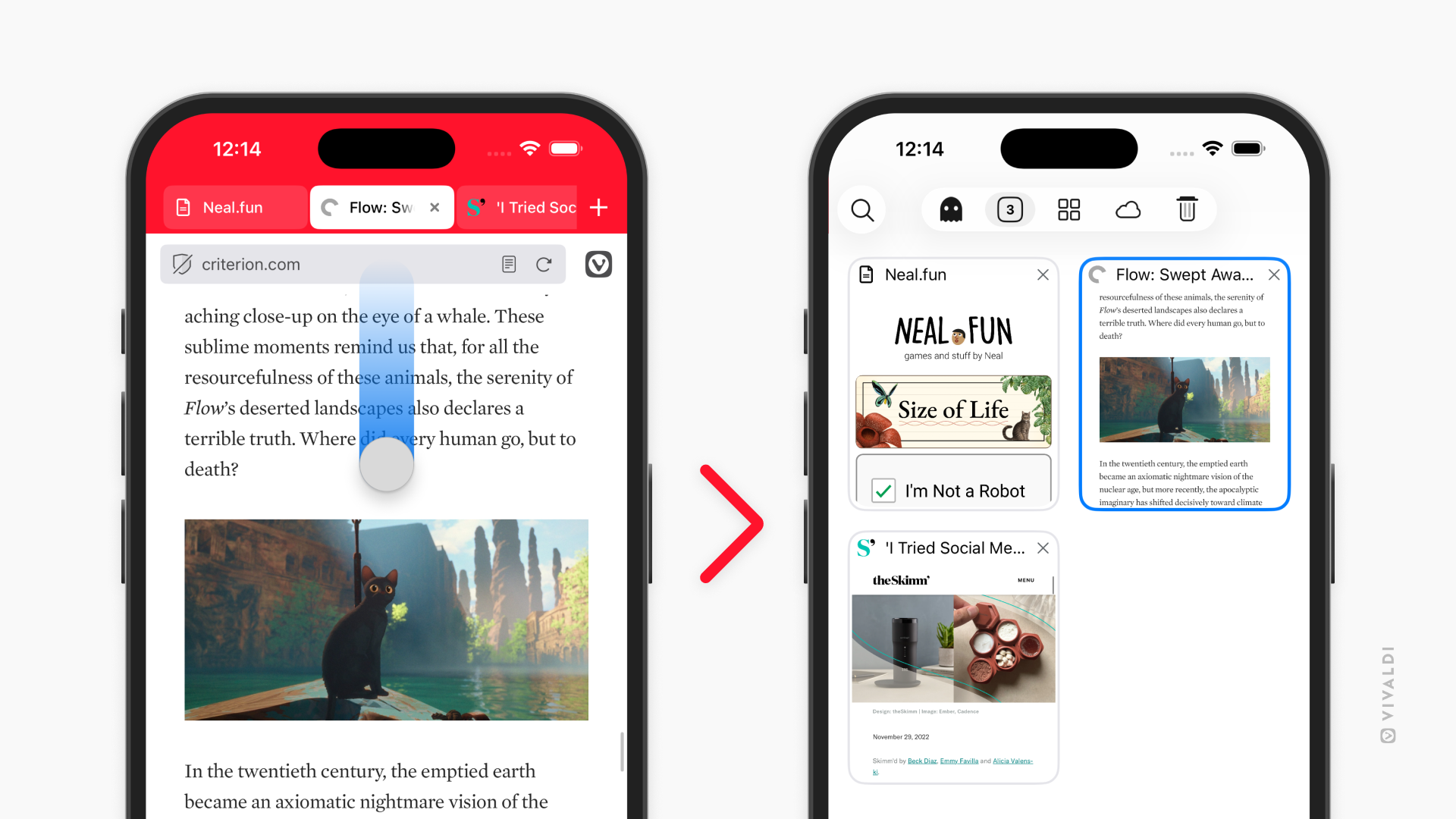
Desliza para cambiar de pestaña. Tu barra de direcciones es ahora un atajo. Deslízala hacia arriba o hacia abajo para acceder directamente al administrador de pestañas. Es uno de esos gestos que se siente natural desde el momento en que lo pruebas, más rápido que tocar un par de botones, más fluido, justo donde está tu pulgar.
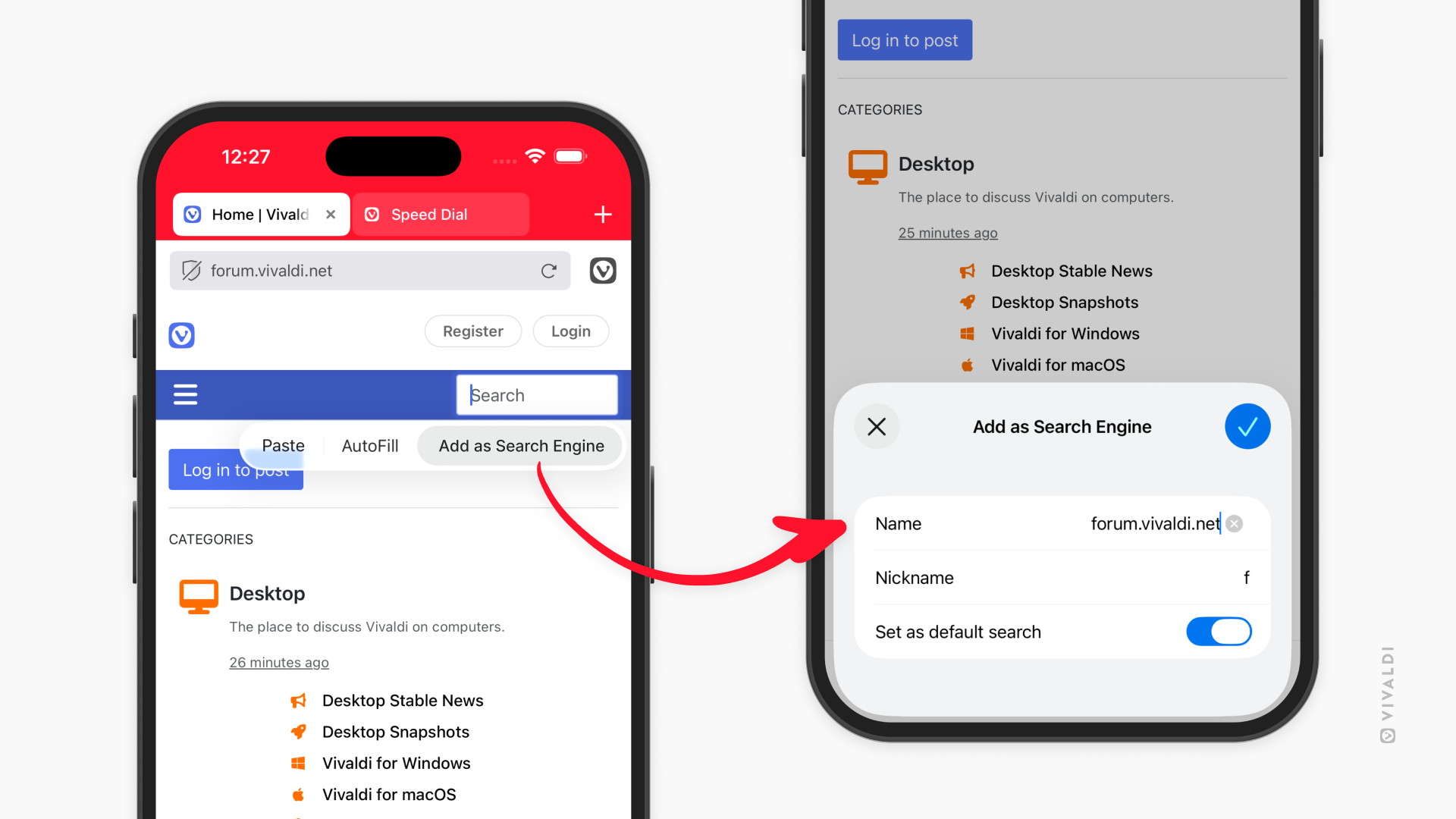
Añade buscadores desde cualquier sitio web. Esta función se lanzó en Android en la versión 7.7 y ahora también llega a iOS. ¿Tienes algún buscador especializado que uses de forma habitual? Mantén pulsado el campo de búsqueda, selecciona «Añadir como buscador» y ya está. La biblioteca de tu universidad, la base de datos de tu empresa…están a un solo clic, en tus opciones de búsqueda.
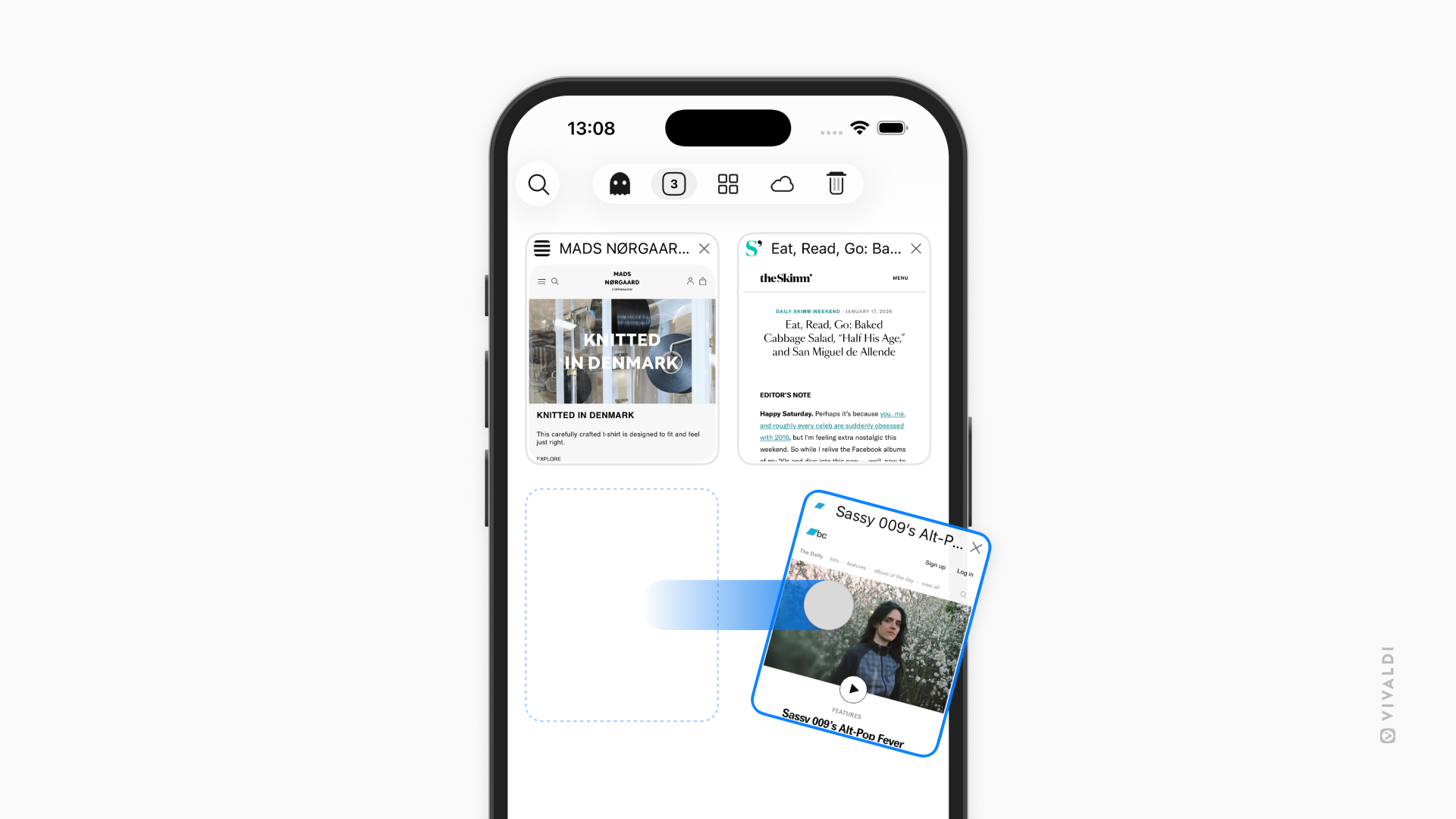
Desliza las pestañas. En el administrador de pestañas, ahora puedes cerrarlas con un rápido deslizamiento. Se acabó el intentar atinar sobre la minúscula X. Simplemente desliza y desaparecerá. Cuando tienes que gestionar decenas de pestañas, estos pequeños gestos te permiten una experiencia mucho más fluida
Vivaldi 7.8 para móviles ya está disponible:


Como siempre, gracias por ser parte de la comunidad Vivaldi. Juntos estamos construyendo un mejor internet, versión tras versión.
Changelog from Vivaldi 7.7 to 7.8 Android
[New] Pin tabs (VAB-12263)
[New] Privacy dashboard (VAB-8229)
[New][Menus] Allow searching with selected text in Private Tabs (VAB-1166)
[New][Settings] Add a setting to disable pull to refresh (VAB-11865)
[New][Settings] Support different autofill services (VAB-12098)
Address Field
[Address Field] Becomes white when moved to the bottom via context menu (VAB-12163)
[Address field] Reverse suggestions not working (VAB-12046)
[Address field] Suggestions are not at the bottom anymore, when Address Bar is at the bottom (VAB-11960)
Bookmarks
[Bookmarks] Blank screen after editing a Bookmark folder (VAB-12351)
[Bookmarks] Do not export trashed bookmarks (VAB-11849)
[Bookmarks] Import/export options are displayed in the Reading List and deleted bookmark folder (VAB-12086)
[Bookmarks] Improve saving of exported Bookmarks file (VAB-12017)
Panel
[Panel] Enable inline search in Downloads Panel (VAB-12113)
[Panel] Extra search icon shown in the Notes Panel (VAB-12148)
[Panel] Make selected History items look and behave the same as selected Bookmarks.(VAB-9737)
[Panel] Make selected Notes items look and behave the same as selected Bookmarks (VAB-12040)
[Panel] No placeholder text/image after deleting all History (VAB-12073)
[Panel] Update Downloads Panel’s search UI to same style as Bookmarks (VAB-12093)
Start Page
[Start page] Dials run off screen in landscape mode (VAB-12224)
[Start Page] Folders are not displayed when there are no Speed Dial items (VAB-12301)
[Start Page] No «Create new group» prompt on an empty start page (VAB-12352)
Tabs
[Tabs] Despite tab stacking being disabled, it is still possible to stack with various menus (VAB-12189)
[Tabs] Exiting from full screen video doesn’t center tab bar on the video tab (VAB-11615)
[Tabs] «Open in new tab stack» is not available immediately after installing (VAB-12276)
[Tabs] Prevent Tab Stacks from having only one tab (VAB-12188)
[Tabs] Reordering tabs in a stack is broken (VAB-12320)
[Tabs] Show correct tab stack title (VAB-12312)
[Tabs] Tab size adjustments (VAB-12336)
Other
[Audio] Background audio playback stopped working on YouTube (VAB-12333)
[Custom Search Engine] URLs replace ‘%s’ with ‘%7BsearchTerms%7D’ (VAB-12254)
[Custom Search Engine] Wrongfully shown error when editing a search engine (VAB-12089)
[Desktop mode] Enable default settings for Desktop mode (VAB-12049)
[Desktop mode] Should not be possible to close the last tab (VAB-12283)
[Dex] Window control buttons appear when enabling Dex and overlap UI (VAB-12090)
[Menu] Gap below the main menu varies on different devices (VAB-12287)
[Menu] Remove old tab context menu and add the items to the new context menu (VAB-12303)
[Notifications] Enable Privacy Dashboard notifications (VAB-12279)
[Reding List]Page not added to Reading List if tab/page in reading mode (VAB-11919)
[Search Engine] ‘Add as Search Engine’ not showing bottomsheet when clicked (VAB-12259)
[Search Engine] Search Engine Nicknames don’t get disabled (VAB-12083)
[Settings] Exiting Settings’ search leaves an empty Settings page (VAB-12101)
[Settings] Move ‘Enable Address Bar swipe gesture’ from General to Address Bar (VAB-12277)
[Speed dials] Folder bug (VAB-12290)
[Startup] Inactive tab sheet appears on start-up sometimes (VAB-11982)
[Sync] Add a direct link to Vivaldi account’s profile page (VAB-12006)
[Tablet][Address field] Suggestion field pops up in the middle of the screen (VAB-11904)
[Tablet][Window] New tab icon is mispositioned in a pop-up window (VAB-12115)
[UI] Reader View button in the Address Field is in the wrong color when Tab Bar is hidden (VAB-12078)
[UI] Update History search UI to same style as bookmarks (VAB-11741)
This version contains several additional enhancements and bug fixes for a better overall experience.
Updated Chromium to 144.0.7559.167
Changelog from Vivaldi 7.7 to 7.8 iOS
Nuevo
[New][Address bar] Add a setting to swipe up/down address bar to enable tab switcher (VIB-615)
[New][Search Engine] Allow adding Custom Search Engines from web pages (VIB-1441)
[New][Tab Switcher] Swipe to close tabs option (VIB-572)
Tab Switcher
[Tab Switcher] Pin inactive tabs at the top in tab switcher (VIB-1683)
[Tab Switcher] Fix tab preview corner radius for both tabs and stacks grid items.
[Tab Switcher] Tab grid background color for private tab is changed to purple from black/dark gray to unify with Android and Desktop.
[Tab Switcher] Tabs in private tabs stacks showing incorrect color for the header.
[Tab Switcher] Private tabs stack showing white background on light mode, it should show dark. (VIB-1686)
[Tab Switcher] Private Tabs view with no tabs open has elements in wrong colors (VIB-1690)
Other
[Accessibility] iOS’ transparency setting makes some Vivaldi menus and pages blank (VIB-1547)
[Custom Search Engine] Updating Google search engine name and nickname is not working (VIB-1668)
[iOS26] Password manager title is not centred (VIB-1546)
[iOS26][iPad] Main menu gets pushed to the side when resizing window (VIB-1571)
Missing iCloud Backup exceptions (VIB-895)
[Panel] Add search field for Reading List (VIB-1549)
[Panel][UI] Translation histories are cut off at the bottom (VIB-1630)
[Reader view] Functional issue after exiting reader view (VIB-1445)
[Reader View] Update grey theme for reader view (VIB-1673)
[Search Engine] Can’t delete some search engines (VIB-1548)
[Search Engine] Search Engine Nicknames aren’t disabled (VIB-1570)
[Sync] Add a direct link to Vivaldi account’s profile page (VIB-1536)
[Tabs] Toolbar gesture doesn’t switch tabs properly when tab bar enabled (VIB-1679)
[Theme] Tabs in tab switcher ignores app light theme when OS uses dark mode (VIB-1632)
This version contains several additional enhancements and bug fixes for a better overall experience.
Updated Chromium to 144.0.7559.114
,m